Use model services
This feature is in Beta. Account admins can control access to this feature from the account console Previews page. See Manage Databricks previews.
In this article, you learn the options for writing query requests for foundation models and sending them to a model service in Unity AI Gateway.
Unity AI Gateway exposes model services through a unified, OpenAI-compatible API, so you can experiment with and customize Databricks-hosted foundation models across providers. Identify a model service by its fully qualified name as the model slug—for example, system.ai.claude-opus-4-6—and send requests to your workspace's Unity AI Gateway base URL, https://<workspace-url>/ai-gateway/mlflow/v1.
The examples in this article query model services. For backward compatibility, Databricks interprets a Databricks-hosted model name without a fully qualified name, such as databricks-claude-opus-4-6, as the system-provided model service system.ai.claude-opus-4-6. This behavior lets existing workloads continue to run without code changes.
Query options
Unity AI Gateway provides the following options for sending query requests to model services that serve foundation models:
Method | Details |
|---|---|
OpenAI client | Query a model service using the OpenAI client. Specify the model service's fully qualified name (for example, |
REST API | Call and query the model service using the REST API. Send a |
Databricks Python SDK | Databricks Python SDK is a layer on top of the REST API. It handles low-level details, such as authentication, making it easier to interact with the models. |
During Beta, you cannot query a model service with the ai_query SQL function. Query model services with the OpenAI client or the REST API.
Requirements
EXECUTEon the model service, andUSE CATALOGandUSE SCHEMAon its catalog and schema. System-provided model services insystem.aigrantEXECUTEto all account users by default. You don't need access to the models the service references—Databricks checks that the model service owner hasEXECUTEon them.- A model service to query. To create a custom model service, see Create custom model services.
- A Databricks workspace in a Unity AI Gateway supported region.
- To send a scoring request through the OpenAI client or REST API, you must have a Databricks API token.
As a security best practice for production scenarios, Databricks recommends that you use machine-to-machine OAuth tokens for authentication during production.
For testing and development, Databricks recommends using a personal access token belonging to service principals instead of workspace users. To create tokens for service principals, see Manage tokens for a service principal.
Install packages
After you have selected a querying method, you must first install the appropriate package to your cluster.
- OpenAI client
- REST API
- Databricks Python SDK
To use the OpenAI client, the databricks-openai package needs to be installed on your cluster. This package provides an OpenAI client with authorization automatically configured to query generative AI models. Run the following in your notebook or your local terminal:
pip install -U databricks-openai
The following is only required when installing the package on a Databricks Notebook
dbutils.library.restartPython()
Access to the Serving REST API is available in Databricks Runtime for Machine Learning.
The Databricks SDK for Python is already installed on all Databricks clusters that use Databricks Runtime 13.3 LTS or above. For Databricks clusters that use Databricks Runtime 12.2 LTS and below, you must install the Databricks SDK for Python first. See Databricks SDK for Python.
Structured outputs
Structured outputs is OpenAI-compatible and is only available during model serving as part of Unity AI Gateway. For details, see Structured outputs on Databricks.
Prompt caching
Prompt caching is supported for Databricks-hosted Claude models as part of Unity AI Gateway.
You can specify the cache_control parameter in your query requests to cache the following:
- Text content messages in the
messages.contentarray. - Thinking messages content in the
messages.contentarray. - Images content blocks in the
messages.contentarray. - Tool use, results and definitions in the
toolsarray.
- TextContent
- ReasonContent
- ImageContent
- ToolCallContent
{
  "messages": [
    {
      "role": "user",
      "content": [
        {
          "type": "text",
          "text": "What's the date today?",
          "cache_control": { "type": "ephemeral" }
        }
      ]
    }
  ]
}
{
  "messages": [
    {
      "role": "assistant",
      "content": [
        {
          "type": "reasoning",
          "summary": [
            {
              "type": "summary_text",
              "text": "Thinking...",
              "signature": "[optional]"
            },
            {
              "type": "summary_encrypted_text",
              "data": "[encrypted text]"
            }
          ]
        }
      ]
    }
  ]
}
Image message content must use the encoded data as its source. URLs are not supported.
{
  "messages": [
    {
      "role": "user",
      "content": [
        {
          "type": "text",
          "text": "What’s in this image?"
        },
        {
          "type": "image_url",
          "image_url": {
            "url": "data:image/jpeg;base64,[content]"
          },
          "cache_control": { "type": "ephemeral" }
        }
      ]
    }
  ]
}
{
  "messages": [
    {
      "role": "assistant",
      "content": "Ok, let’s get the weather in New York.",
      "tool_calls": [
        {
          "type": "function",
          "id": "123",
          "function": {
            "name": "get_weather",
            "arguments": "{\"location\":\"New York, NY\"}"
          },
          "cache_control": { "type": "ephemeral" }
        }
      ]
    }
  ]
}
The Databricks REST API is OpenAI-compatible and differs from the Anthropic API. These differences also impact response objects like the following:
- Output is returned in the
choicesfield. - Streaming chunk format. All chunks adhere to the same format where
choicescontains the responsedeltaand usage is returned in every chunk. - Stop reason is returned in the
finish_reasonfield.- Anthropic uses:
end_turn,stop_sequence,max_tokens, andtool_use - Respectively, Databricks uses:
stop,stop,length, andtool_calls
- Anthropic uses:
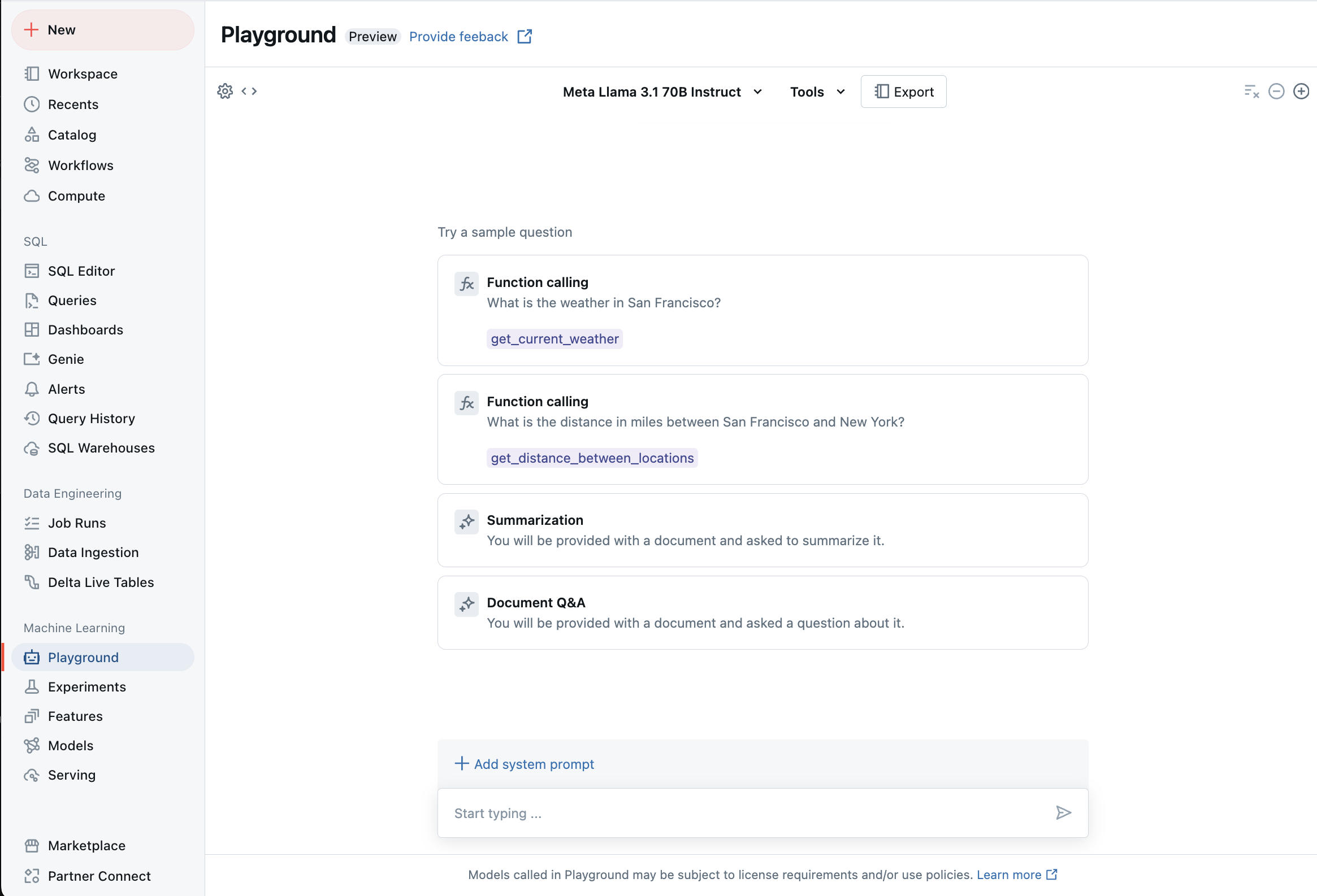
Chat with supported LLMs using AI Playground
You can interact with supported large language models using the AI Playground. The AI Playground is a chat-like environment where you can test, prompt, and compare LLMs from your Databricks workspace.