Access Genie One
You can use workspace-level Genie One in a single workspace, or account-level Genie One across all of the workspaces in your Databricks account. Each one opens in a different way. If you're an admin setting up access, see Enable Genie One for users.
Access workspace-level Genie One
Workspace-level Genie One is available only to members of the workspace who have at least one workspace entitlement, such as Consumer access. If you can't open Genie One, ask your workspace admin for access. For the entitlements that qualify, see Workspace-level Genie One.
To open workspace-level Genie One, use any of the following:
-
Sign in: If your only entitlement is Consumer access, you land on the Genie One homepage after you log in.
-
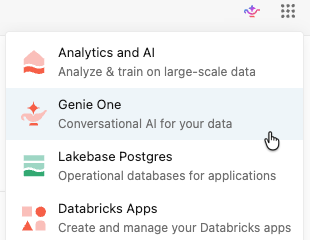
App switcher: If you have other entitlements, use the app switcher
 in the upper-right corner of the workspace to switch between Genie One and the workspace UI.
-
URL: Add
/oneto the workspace URL, for examplehttps://<WORKSPACE_URL>/one?o=<WORKSPACE_ID>. -
Chrome new tab: Install the Genie One Chrome extension to open Genie One every time you open a new Chrome tab. This feature is in Beta.
Access account-level Genie One
Account-level Genie One is a unified view across all workspaces in your account. For requirements and controls, see Account-level Genie One.
You can access account-level Genie One in several ways:
-
Account landing page: From the account console, click Genie to open the account-level view.
-
Direct URL: Navigate directly to your account-level Genie One URL using the
/onevanity URL:https://accounts.cloud.databricks.com/one -
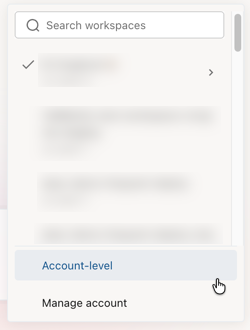
Workspace switcher: Use the workspace switcher in Genie One and select Account-level.