Use Genie on mobile
This feature is in Public Preview.
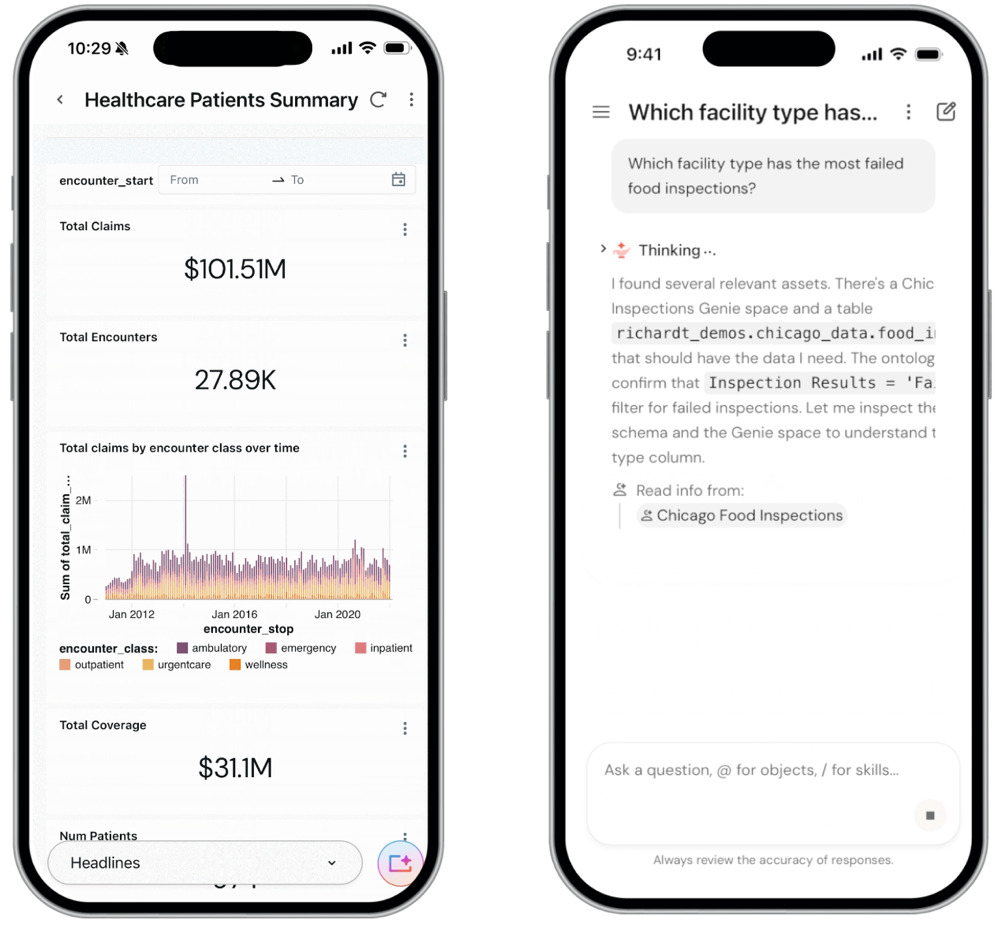
The Databricks Genie mobile app lets business users access key Genie One capabilities from iOS and Android devices. Users can ask data questions in natural language, view and interact with dashboards, and run Databricks Apps without being at a desktop.
The mobile app works alongside the Genie One web experience and supports all workspace user entitlements, including consumer access.
With the Genie mobile app, users can:
- Ask questions with Genie: Answer questions with natural language by using relevant Genie Agents and Unity Catalog tables.
- View dashboards: View, interact with, and share existing AI/BI dashboards, optimized for mobile.
- Chat with dashboards: Ask follow-up questions and do root-cause analysis directly within a dashboard using Ask Genie.
- Run Databricks Apps: Use custom-built Databricks Apps that combine analytics, AI, and workflows. Apps built with Databricks AppKit are optimized for mobile.
For IT and security teams, see Administer the Genie mobile app for configuration guidance, network security requirements, authentication setup, and Mobile Device Management (MDM) deployment.
Supported devices
- iOS on iPhone and iPad
- Android on all device sizes
Enable the app
The Genie mobile app is enabled by default for all accounts in Public Preview. If it is not already enabled, an account admin can enable it manually:
- In the account console, go to Previews in the left nav.
- Search for Genie One Mobile.
- Enable Genie One Mobile.
Install the Genie mobile app
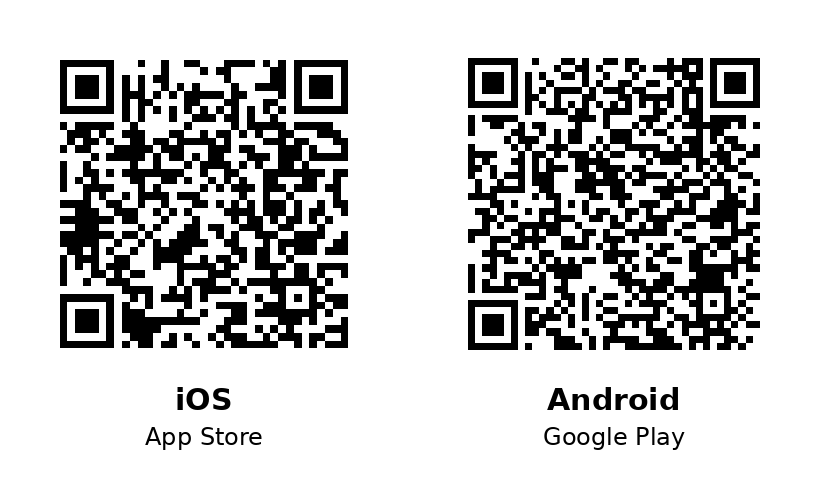
Download the Genie app from the Apple App Store for iOS or Google Play for Android. To install from your phone, scan the QR code for your platform:
- IOS
- Android
- On your iPhone or iPad, open the App Store.
- Search for Databricks Genie.
- Download and install the app.
- Open the app and sign in with your Databricks credentials.
- On your Android device, open the Google Play Store.
- Search for Databricks Genie.
- Download and install the app.
- Open the app and sign in with your Databricks credentials.
Sign in
When you open the app, you can sign in two ways:
- Log in: Sign in with your Databricks credentials. The app finds your account, then signs you in to your workspace.
- Enter workspace link: Enter your workspace URL and select Enter to sign in directly to that workspace.
Use Enter workspace link to sign in directly to a workspace when the standard Log in flow doesn't work for your account, such as when missing account SSO or email verification prevent sign-in. For details, see Sign in with a workspace URL.
Switch workspaces
If you have access to more than one workspace, you can switch between them from within the app instead of signing out and signing back in. Previously, moving to another workspace required signing out of the app and going through sign-in again.
Scheduled tasks
You can create and manage scheduled tasks directly from the Genie mobile app. A scheduled task runs automatically at a time you specify and posts the results to a chat thread, the same as scheduled tasks in the Genie One web experience.
To create a scheduled task, open the Schedules interface in the app, enter your instructions and a schedule, then save the task. For details about how scheduled tasks work, including their email and PDF output, see Scheduled tasks.
Push notifications
The mobile app sends you a push notification whenever a scheduled task runs. For example, you might schedule a task to notify you every Monday if revenue exceeds a threshold. Push notifications apply to any scheduled task, whether you enabled it on the web or in the mobile app.
Push notifications for scheduled tasks are available on iOS only. The first time you install and sign in to the app, you're prompted to allow push notifications. To disable or re-enable them at any time, turn the Allow Notifications setting on or off in Settings > Notifications > Genie One.
MCP connections
MCP connections configured in the Genie One web experience are available in the mobile app. You cannot add or configure MCP connections from the mobile app, but any connections already set up on the web are inherited automatically.
Limitations
- Some dashboard functionality and visualization interaction might be limited on small-format displays.
- Apps might not render correctly if the app creator did not optimize them for mobile viewing. Build apps using the Databricks AppKit to optimize for rendering on mobile.
- Available in all App Store countries except Belarus, China mainland, Russia, and Ukraine.
- Available in all Google Play countries except Belarus, China, Cuba, Iran, and Russia.