Create an integrated CDC pipeline for Oracle
This feature is in Beta.
An integrated CDC pipeline ingests change data from Oracle into Databricks using a single pipeline. The integrated CDC connector combines extraction and application into one pipeline update.
The Oracle integrated CDC connector uses LogMiner in uncommitted transaction mode to read changes from online redo logs and archive logs.
Requirements
-
Your workspace is enabled for Unity Catalog.
-
If you plan to create a connection: You have
CREATE CONNECTIONprivileges on the metastore. See Manage privileges in Unity Catalog.If your connector supports UI-based pipeline authoring, you can create the connection and the pipeline at the same time by completing the steps on this page. However, if you use API-based pipeline authoring, you must create the connection in Catalog Explorer before you complete the steps on this page. See Connect to managed ingestion sources.
-
If you plan to use an existing connection: You have
USE CONNECTIONprivileges orALL PRIVILEGESon the connection. -
You have
USE CATALOGprivileges on the target catalog. -
You have
USE SCHEMA,CREATE TABLE, andCREATE VOLUMEprivileges on an existing schema orCREATE SCHEMAprivileges on the target catalog.
- Your workspace must have the integrated CDC connector feature enabled. Contact your Databricks account team.
- You have completed the Oracle source database setup. See Configure Oracle for ingestion into Databricks.
- You have the following permissions:
CREATE CONNECTIONon the metastore (if creating a new Unity Catalog connection), orUSE CONNECTIONon an existing connection.USE CATALOGon the destination catalog.USE SCHEMAandCREATE TABLEon the destination schema.CREATE VOLUMEon the destination schema, or on the schema specified indata_staging_options.
For Oracle multi-tenant databases, the connection user must be a common user in CDB$ROOT. For details, see Create the replication user.
Compute requirements
An integrated CDC pipeline runs on classic or serverless compute:
- Classic compute: The classic compute plane runs in your Databricks workspace VPC or VNet and must be able to reach your Oracle instance over the network. Any network path that allows the compute plane to reach the database is supported, including VPC or VNet peering, public endpoints, and, for on-premises Oracle, AWS Direct Connect, Azure ExpressRoute, or VPN.
- Serverless compute: Configure serverless network connectivity between Databricks serverless compute and your source database. On-premises sources require a network path through the configured serverless egress (for example, a transit gateway or peered VNet with ExpressRoute or VPN).
For classic compute, you can use unrestricted cluster creation permissions or a custom cluster policy with cluster_type fixed to dlt, runtime_engine fixed to STANDARD, and at least 8 cores recommended for efficient extraction.
Create a Unity Catalog connection to Oracle
Create a Unity Catalog connection to Oracle before creating a pipeline. See Create an Oracle connection.
Create an integrated CDC pipeline
Create an integrated CDC pipeline using the data ingestion UI, the REST API, the Databricks CLI, notebooks, or Declarative Automation Bundles.
Every programmatic pipeline creation request must include "channel": "PREVIEW". When you use the UI, Databricks sets the channel for you.
For Oracle integrated CDC pipelines, source_catalog maps to the Oracle service name. For multi-tenant databases, this must be the CDB$ROOT service name.
- Databricks UI
- Declarative Automation Bundles
- Databricks notebook
- Databricks CLI
- REST API
-
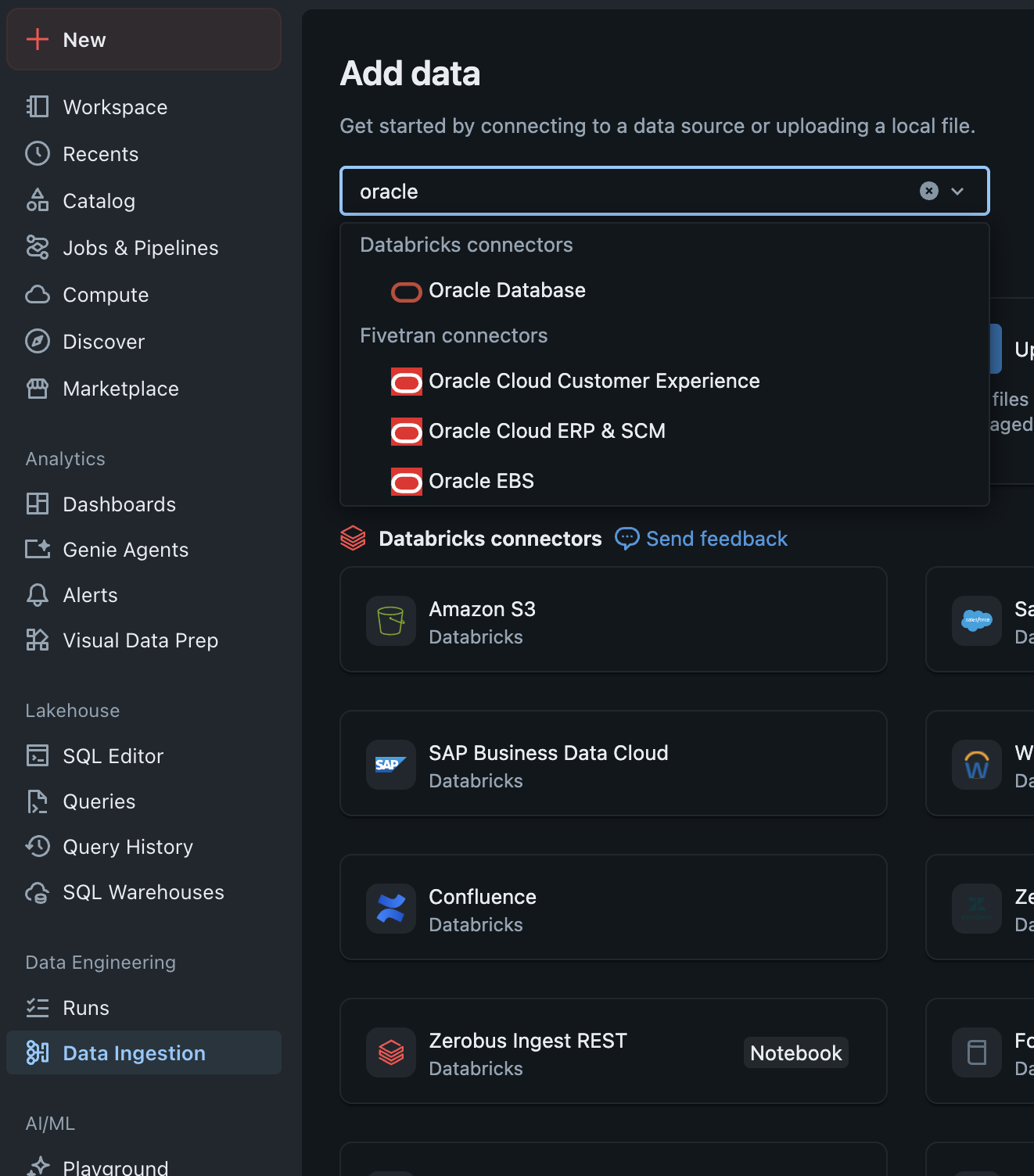
In the sidebar, click Data Ingestion, then select Oracle as the source type.
-
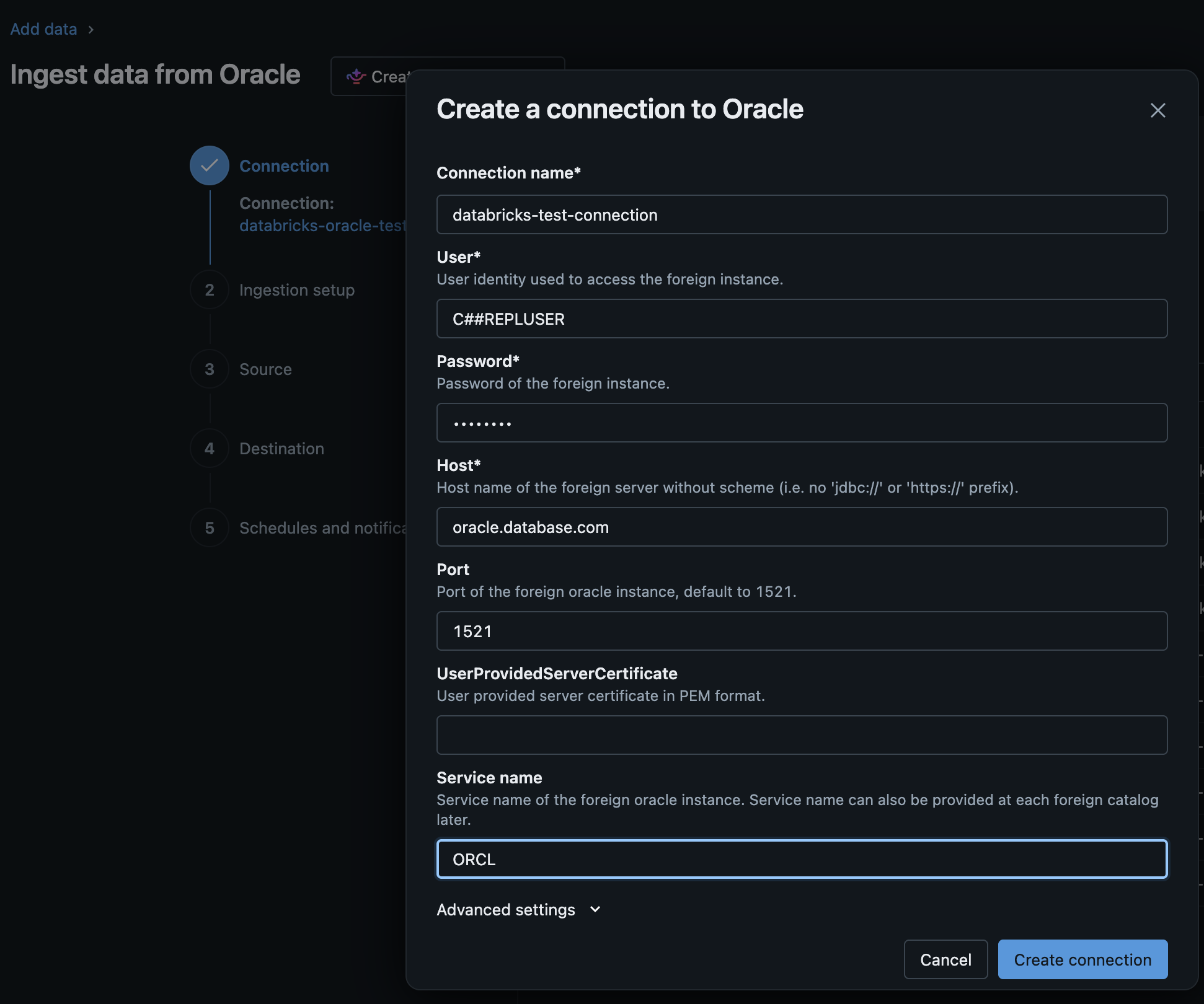
Select a connection to use. Either choose an existing Unity Catalog connection or create one.

-
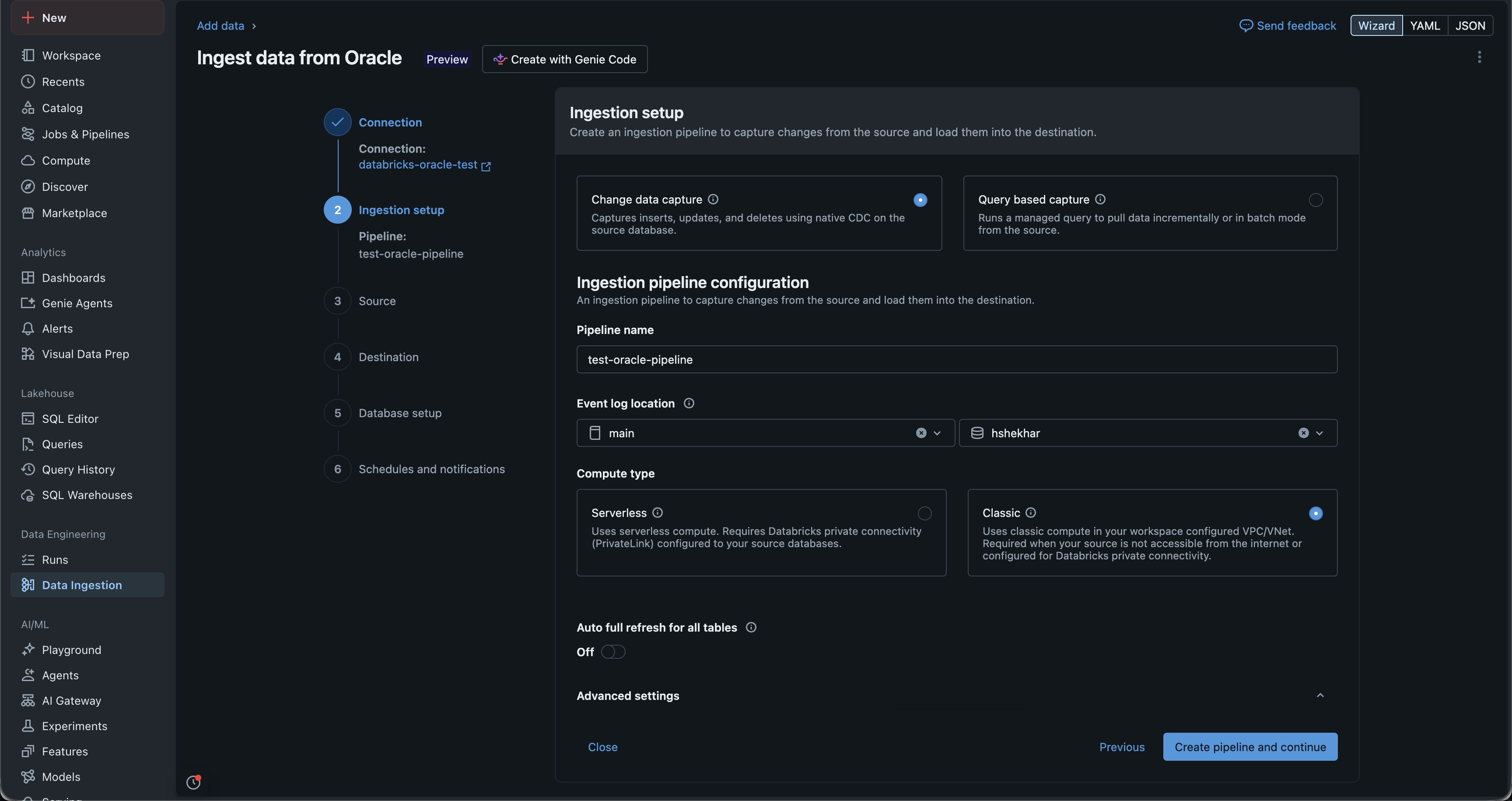
Provide a name for the pipeline and an event log location. The event log location is where Databricks stores staging data and the metadata used to perform CDC.
-
Click Next. Databricks provisions the compute and creates the pipeline. This step might take some time and display
Waiting for resources. When it completes, select the source tables to ingest.
-
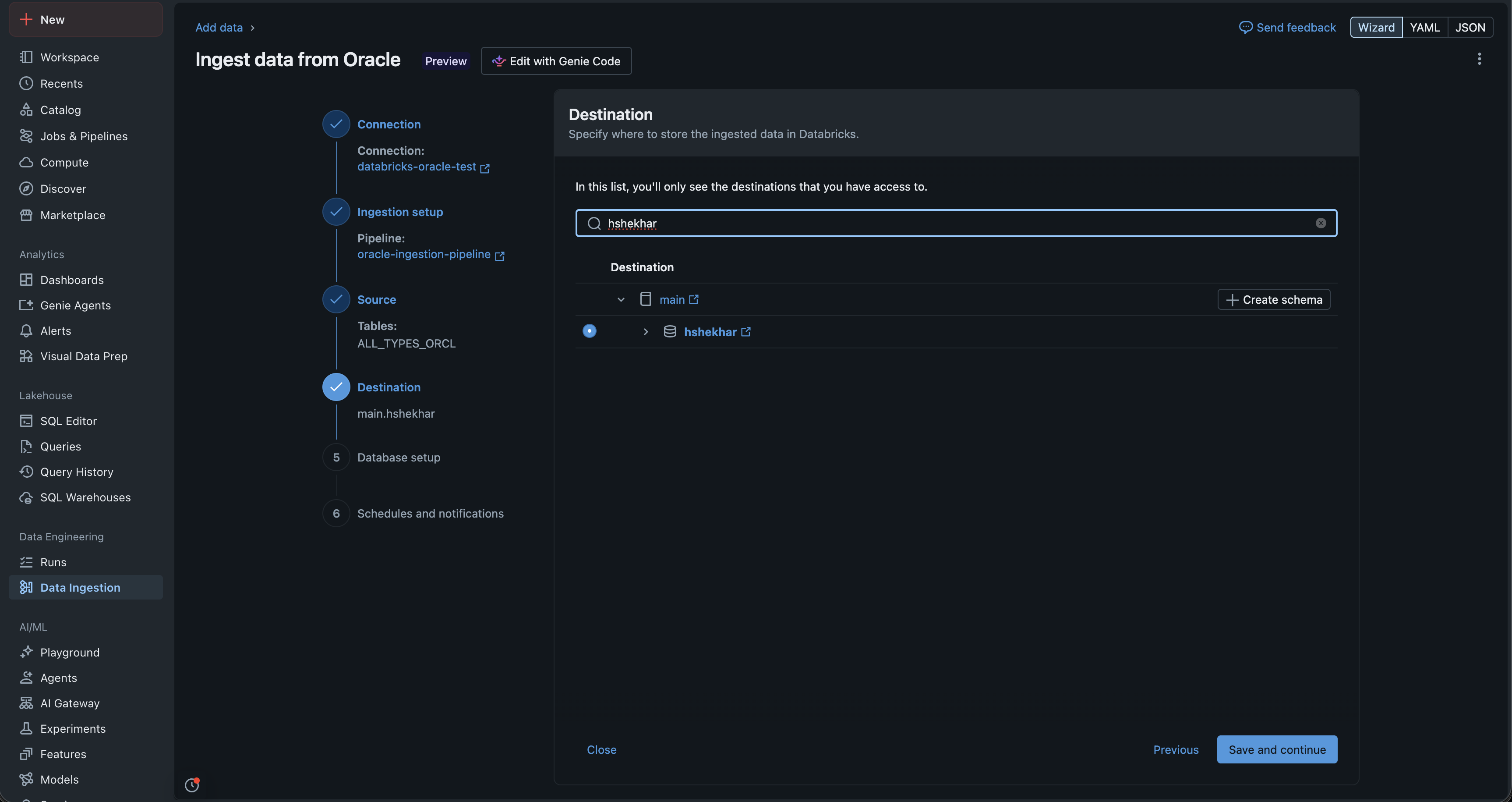
Select the destination schema where the pipeline writes the data captured from the source. The pipeline auto-creates tables with the same names as the source in the selected schema.
-
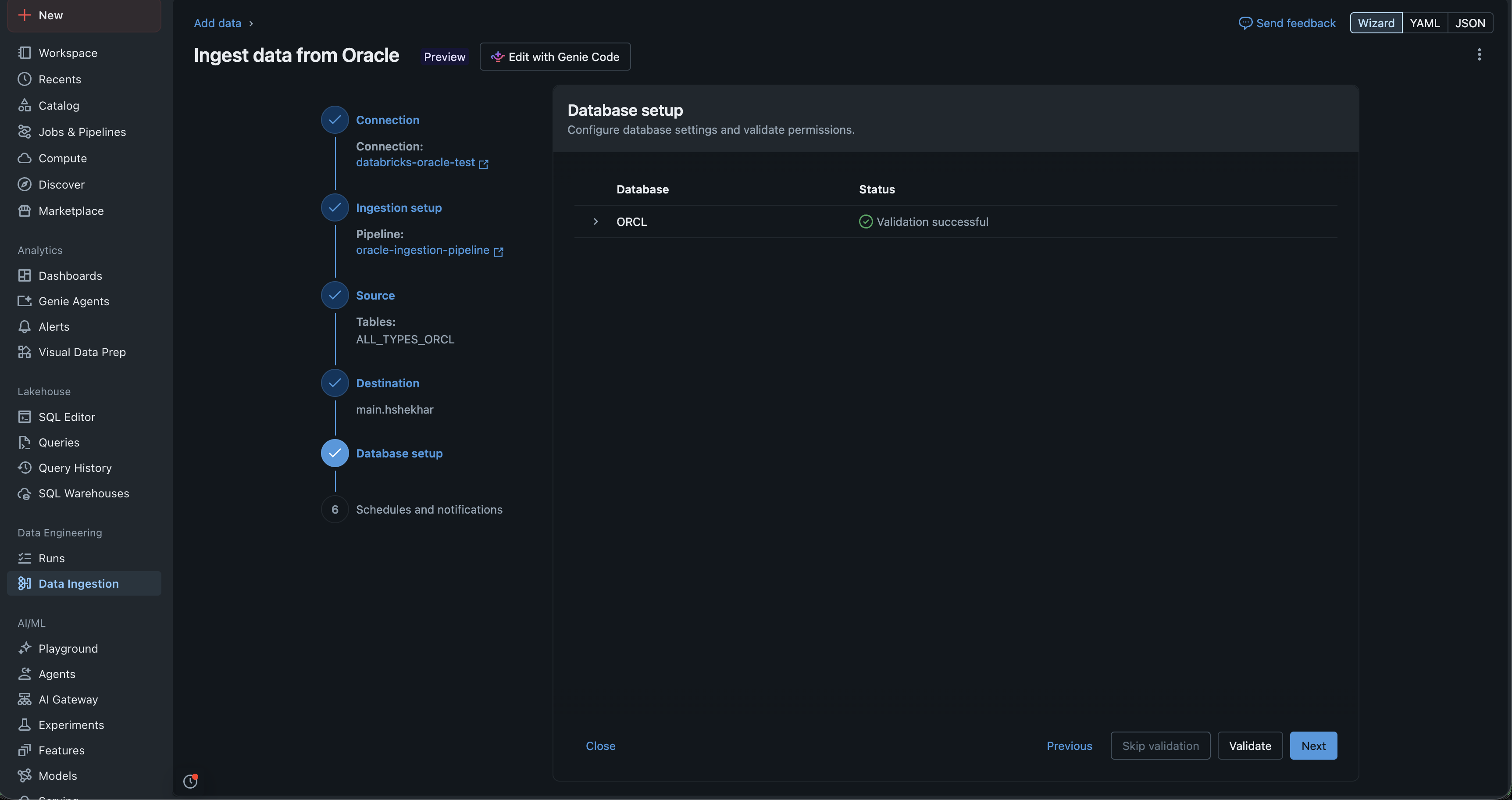
Click Validate and wait for validation to succeed.
-
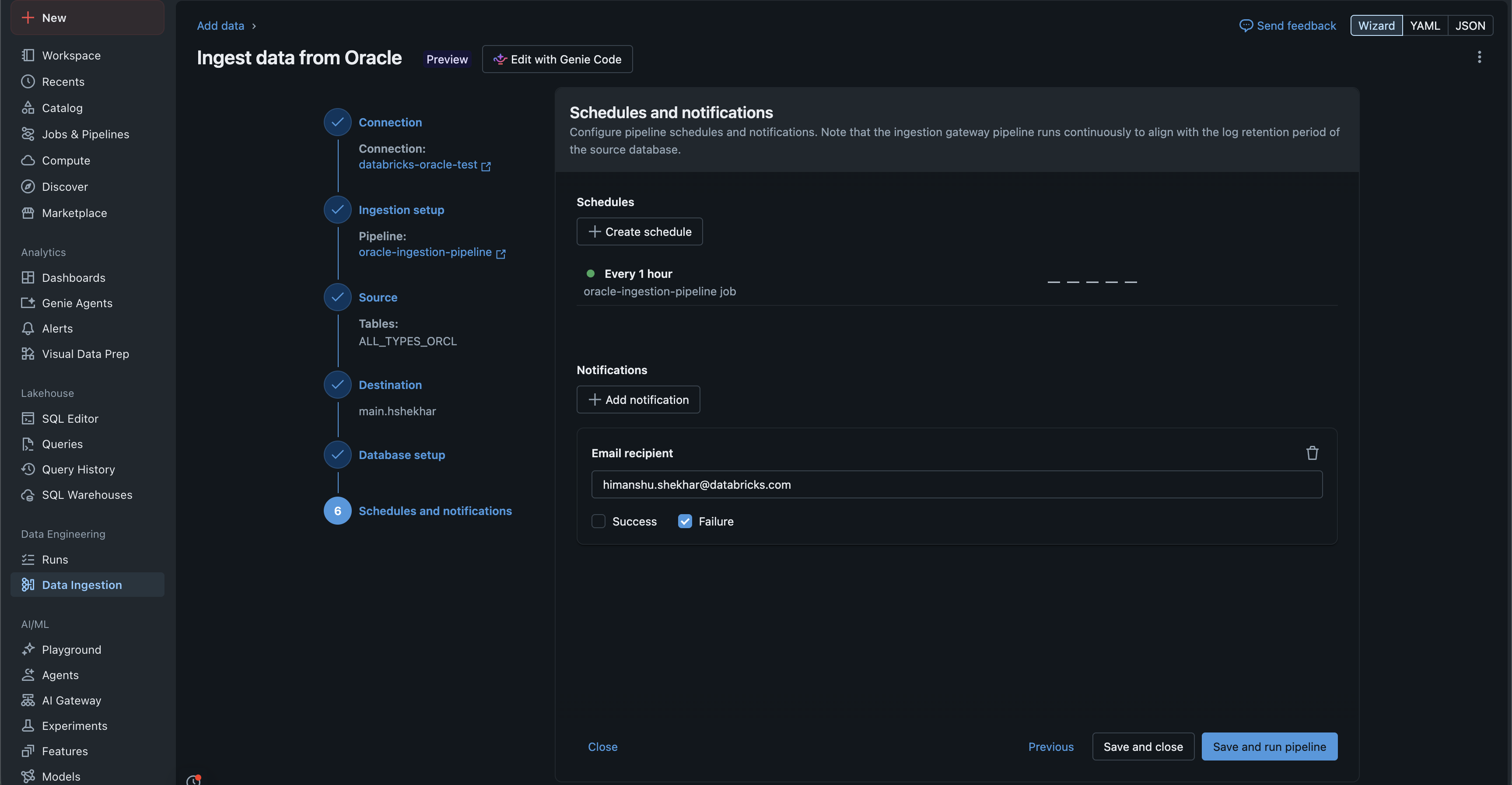
Set a schedule for the pipeline. The pipeline runs for as long as data is available, stops after reaching an idle state, and resumes from the same point on the next trigger.
-
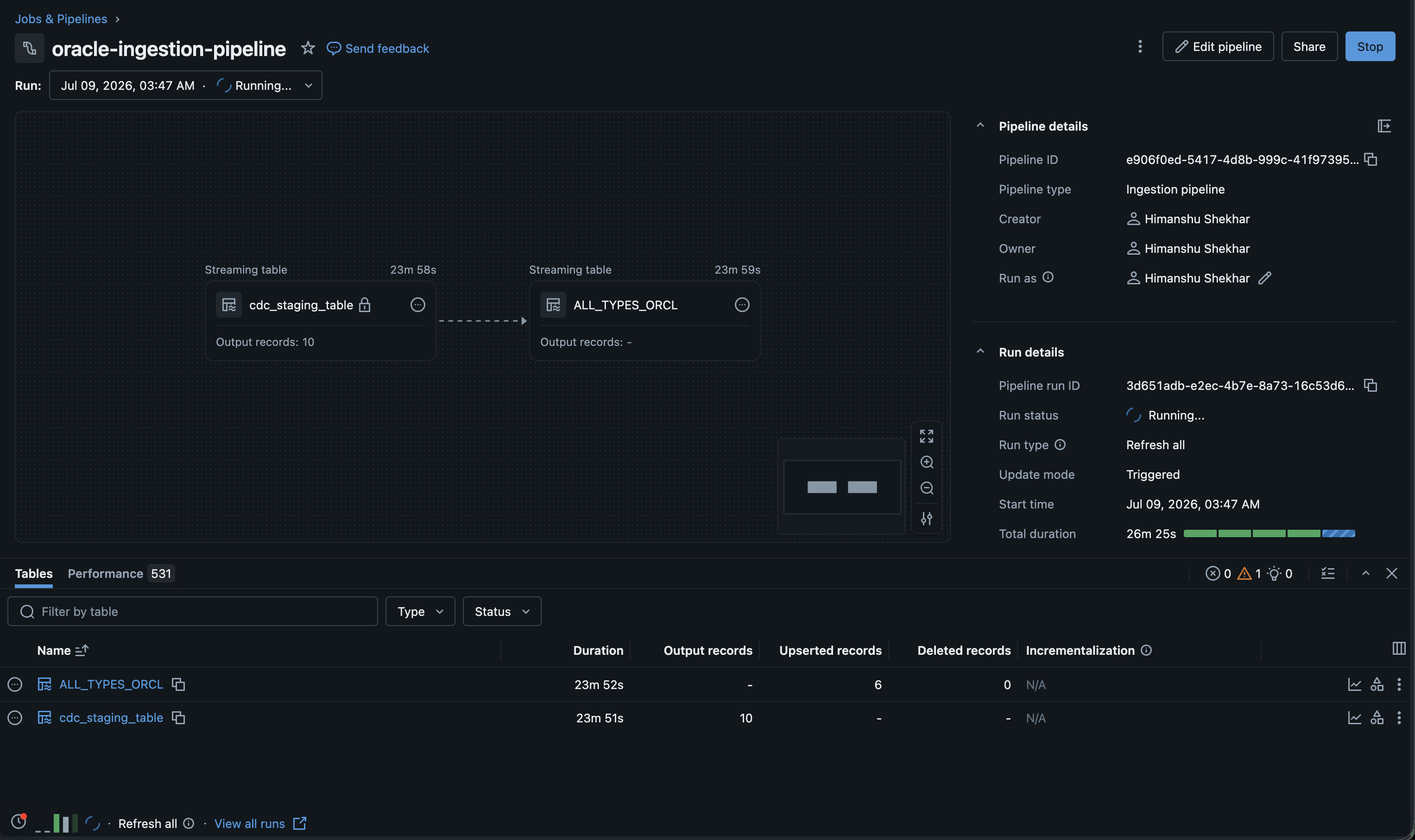
Review the pipeline. The list view shows the flows and statistics about the replicated data.
-
To check what the pipeline is doing, and particularly to review warnings or error messages when an update fails, open the Event logs panel on the right.
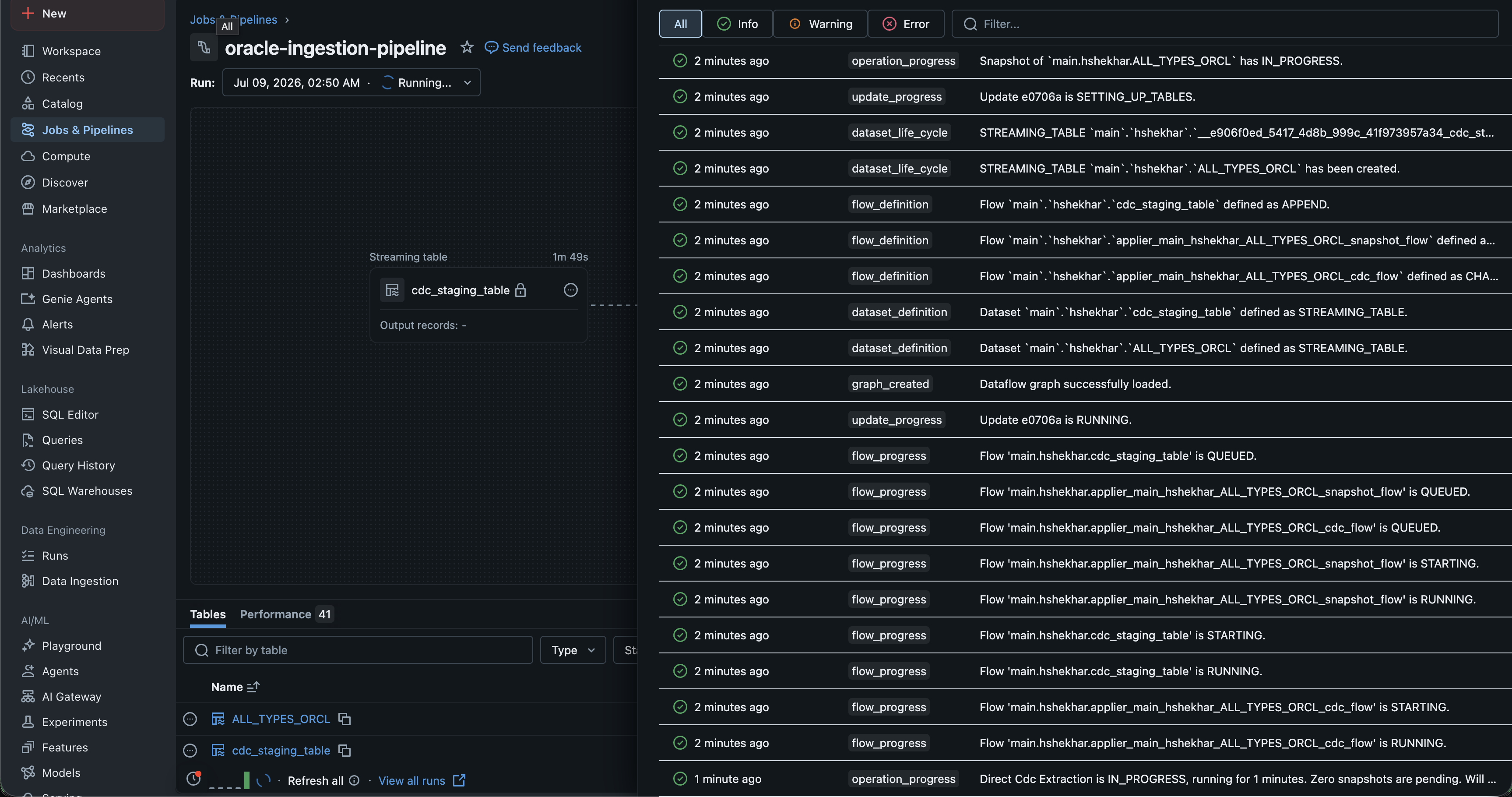
The pipeline is now set up and running. You can query the tables that the pipeline creates in the destination schema and treat them as Bronze tables in the medallion architecture.
Define the pipeline resource in a bundle file (for example, resources/oracle_integrated_cdc_pipeline.yml):
variables:
  pipeline_name:
    description: 'Name for the integrated CDC pipeline'
  connection_name:
    description: 'Unity Catalog connection name'
  dest_catalog:
    description: 'Destination catalog for ingested data'
  dest_schema:
    description: 'Destination schema for ingested data'

resources:
  pipelines:
    oracle_integrated_cdc_pipeline:
      name: ${var.pipeline_name}
      channel: PREVIEW
      catalog: ${var.dest_catalog}
      schema: ${var.dest_schema}
      ingestion_definition:
        connection_name: ${var.connection_name}
        connector_type: CDC
        objects:
          - table:
              source_catalog: 'ORCL'
              source_schema: 'HR'
              source_table: 'EMPLOYEES'
              destination_catalog: ${var.dest_catalog}
              destination_schema: ${var.dest_schema}
              destination_table: 'employees'
              table_configuration:
                scd_type: 'SCD_TYPE_1'
To run the pipeline on a schedule, define a job that triggers the pipeline. Because each extraction stage runs for at least 10 minutes, an interval of 60 minutes or longer is a good starting point:
resources:
  jobs:
    oracle_integrated_cdc_job:
      name: '${var.pipeline_name}-job'
      tasks:
        - task_key: 'cdc_ingestion'
          pipeline_task:
            pipeline_id: ${resources.pipelines.oracle_integrated_cdc_pipeline.id}
      schedule:
        quartz_cron_expression: '0 0 * * * ?'
        timezone_id: 'UTC'
Deploy the bundle with the Databricks CLI:
databricks bundle deploy
databricks bundle run oracle_integrated_cdc_job
For more information, see What are Declarative Automation Bundles?.
from databricks.sdk import WorkspaceClient
from databricks.sdk.service.pipelines import (
    ConnectorType,
    IngestionConfig,
    IngestionPipelineDefinition,
    TableSpec,
)

w = WorkspaceClient()

pipeline = w.pipelines.create(
    name="<pipeline-name>",
    channel="PREVIEW",
    catalog="<destination-catalog>",
    schema="<destination-schema>",
    ingestion_definition=IngestionPipelineDefinition(
        connection_name="<oracle-connection-name>",
        connector_type=ConnectorType.CDC,
        objects=[
            IngestionConfig(
                table=TableSpec(
                    source_catalog="<oracle-service-name>",
                    source_schema="<oracle-schema>",
                    source_table="<oracle-table>",
                    destination_catalog="<destination-catalog>",
                    destination_schema="<destination-schema>",
                )
            )
        ],
    ),
)

print(f"Pipeline created: {pipeline.pipeline_id}")
databricks pipelines create --json '{
  "name": "<pipeline-name>",
  "channel": "PREVIEW",
  "catalog": "<destination-catalog>",
  "schema": "<destination-schema>",
  "ingestion_definition": {
    "connection_name": "<oracle-connection-name>",
    "connector_type": "CDC",
    "objects": [
      {
        "table": {
          "source_catalog": "<oracle-service-name>",
          "source_schema": "<oracle-schema>",
          "source_table": "<oracle-table>"
        }
      }
    ]
  }
}'
POST /api/2.0/pipelines

{
  "name": "my-oracle-integrated-pipeline",
  "channel": "PREVIEW",
  "catalog": "main",
  "schema": "ingestion",
  "ingestion_definition": {
    "connection_name": "my-oracle-connection",
    "connector_type": "CDC",
    "objects": [
      {
        "table": {
          "source_catalog": "ORCL",
          "source_schema": "HR",
          "source_table": "EMPLOYEES",
          "table_configuration": {
            "scd_type": "SCD_TYPE_1"
          }
        }
      }
    ],
    "data_staging_options": {
      "catalog_name": "main",
      "schema_name": "ingestion_staging"
    }
  }
}
To replicate every table in a source schema, use a schema object instead of individual table objects:
POST /api/2.0/pipelines

{
  "name": "my-oracle-schema-pipeline",
  "channel": "PREVIEW",
  "catalog": "main",
  "schema": "ingestion",
  "ingestion_definition": {
    "connection_name": "my-oracle-connection",
    "connector_type": "CDC",
    "objects": [
      {
        "schema": {
          "source_catalog": "ORCL",
          "source_schema": "HR",
          "destination_catalog": "main",
          "destination_schema": "ingestion"
        }
      }
    ]
  }
}
To start a pipeline update:
POST /api/2.0/pipelines/<pipeline-id>/updates

{
  "full_refresh": false
}
Schedule recurring updates
By default, integrated CDC pipelines run in triggered mode. For always-on execution, see Run an integrated CDC pipeline in continuous mode. To ingest data on a recurring schedule, create a Lakeflow Jobs task that runs the pipeline. Each update runs for approximately 30 minutes and might not finish processing the full change backlog in a single update. Schedule pipelines frequently enough for subsequent updates to catch up. A starting point of 60 minutes works well for most workloads.
Configuration reference
Pipeline parameters
Parameter | Type | Description |
|---|---|---|
| string | A name for the pipeline. |
| string | Must be |
| Boolean | Optional. Defaults to |
| string | The default destination catalog. |
| string | The default destination schema. |
| string | The Unity Catalog connection to Oracle. |
| string | Must be |
| array | The list of tables or schemas to ingest. |
| object | Optional. The catalog and schema where the pipeline creates the staging volume. Defaults to the pipeline's destination schema. |
Table specification
Parameter | Required | Description |
|---|---|---|
| Yes | The Oracle service name. For multi-tenant databases, use the |
| Yes | The Oracle schema (typically the owner of the table). |
| Yes | The Oracle table name. |
| No | The destination catalog. Defaults to the pipeline's |
| No | The destination schema. Defaults to the pipeline's |
| No | The destination table name. Defaults to |
Table configuration
Parameter | Default | Description |
|---|---|---|
| Autodetected | The columns that identify each row. Autodetected from the source primary key if not specified. |
|
|
|
| Autodetected | The columns used to order CDC events. |
For Oracle data type mappings, see Data type mappings.
Case sensitivity for Oracle identifiers
Oracle stores unquoted identifiers in uppercase. When you specify source_catalog, source_schema, source_table, and primary_keys in your pipeline configuration, the case must match how Oracle stores the identifier. For most databases, this means using uppercase. If an identifier was created with double quotes that preserved a different case, use that exact case.
Monitor the pipeline
After you create and start an integrated CDC pipeline, monitor its status using the following:
-
Databricks UI. Open the pipeline in the Pipelines section to view update status, per-table ingestion metrics, and lineage.
-
REST API.
TextGET /api/2.0/pipelines/<pipeline-id> -
Events API.
TextGET /api/2.0/pipelines/<pipeline-id>/events
The list view on the pipeline details page shows the number of records processed as data is ingested. These numbers refresh automatically.

The first pipeline update performs a full snapshot of all selected tables, which can take longer than incremental updates. For large tables, the initial snapshot might require multiple scheduled updates to complete.
You can query the ingested data in Unity Catalog.
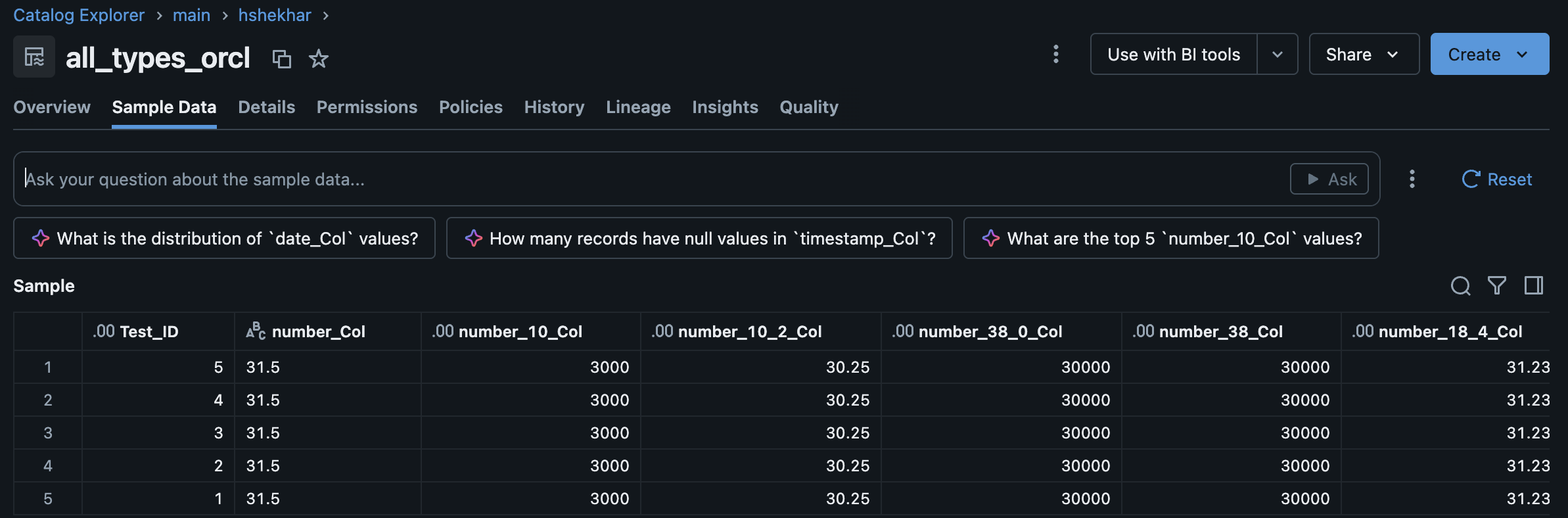
For full refresh and auto full refresh behavior, see Fully refresh target tables.
Integrated CDC pipelines have vertical autoscaling enabled by default. If a pipeline update fails because of an out-of-memory condition, the next update automatically provisions a larger driver.
Limitations
General limitations
- Beta. The integrated CDC connector and the Oracle connector require workspace-level enablement. Contact your Databricks account team.
- Triggered by default. By default, integrated CDC pipelines run in triggered mode; schedule them using a Lakeflow Jobs task. Continuous mode is available in Beta. See Run an integrated CDC pipeline in continuous mode.
- Channel must be
PREVIEW. Programmatic pipeline specs must include"channel": "PREVIEW". - Recommended maximum of 250 tables per ingestion pipeline.
- Integrated CDC pipelines do not yet support schema changes (DDL operations).
- Initial snapshot might span multiple updates for large tables.
- Each update runs for approximately 30 minutes. The pipeline does not necessarily process the entire change backlog in a single update. Subsequent scheduled updates resume processing where the previous update left off. You cannot configure this runtime.
- Connection and connector type are immutable after pipeline creation.
Oracle-specific limitations
- Unsupported Oracle deployments: Oracle RAC, Exadata in RAC configuration, Physical Standby, Oracle Autonomous Databases, and multi-tenant Amazon RDS database instances.
- Unsupported data types:
XML,JSON, and Spatial data types. - LogMiner-ignored tables: LogMiner ignores any table that contains
BFILE, nested tables, identity columns, temporal validity columns,PKREFcolumns, orPKOIDcolumns. See LogMiner limitations. - Identifier length: Table and column names cannot exceed 30 characters.
- Post-12.2 features: The connector does not support data types and features added after Oracle Database 12c Release 2, including
BOOLEAN,VECTOR, andJSON.
Troubleshooting
If a pipeline update fails:
- Review the pipeline event log in the Databricks UI or through
GET /api/2.0/pipelines/<pipeline-id>/events. - Test the Unity Catalog connection from Catalog Explorer to confirm Oracle is reachable.
- Confirm that archive log mode and supplemental logging are enabled. See Step 1: Verify archive log mode and log retention.
- Verify that the replication user has the privileges granted by
DBX_ORACLE_SETUP_UTIL.GRANT_PERMISSIONS. See Oracle database user requirements. - For multi-tenant databases, confirm that the user is a common user in
CDB$ROOTand thatsource_catalogis theCDB$ROOTservice name. - Check that your pipeline spec includes
"channel": "PREVIEW".
If Oracle purges archive logs before the pipeline can process them, perform a full refresh on the affected tables.