Troubleshoot Oracle ingestion
This feature is in Beta.
This page describes common issues with the Oracle integrated CDC connector in Databricks Lakeflow Connect and how to resolve them.
General pipeline troubleshooting
The troubleshooting steps in this section apply to all ingestion pipelines in Lakeflow Connect.
If a pipeline fails while executing, click the step that failed and confirm whether the error message provides sufficient information about the nature of the error.
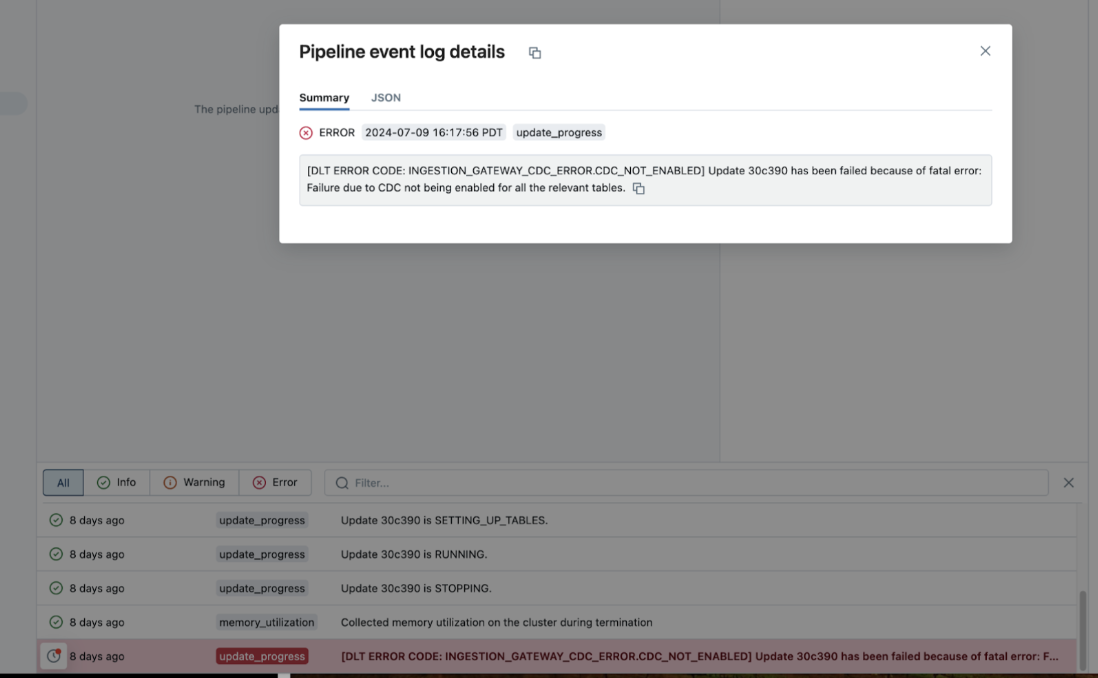
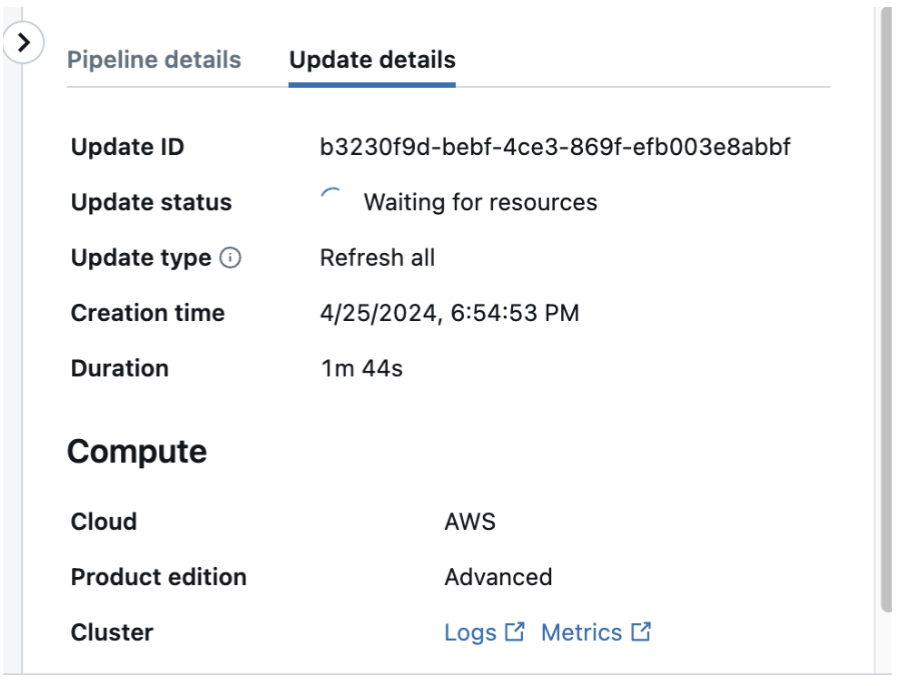
You can also check and download the cluster logs from the pipeline details page by clicking Update details in the right-hand panel, then Logs. Scan the logs for errors or exceptions.
Verify the source configuration
If a pipeline update fails, confirm that the source database is configured correctly:
-
Confirm that archive log mode is enabled:
SQLSELECT LOG_MODE FROM V$DATABASE;The query must return
ARCHIVELOG. -
Confirm that supplemental logging is enabled:
SQLSELECT supplemental_log_data_min, supplemental_log_data_pk, supplemental_log_data_all FROM V$DATABASE;This query reports supplemental logging at the database level only. If you enabled supplemental logging on individual tables instead, these columns can still return
NOwhile your tables are configured correctly. To check a specific table, queryALL_LOG_GROUPS:SQLSELECT log_group_type FROM ALL_LOG_GROUPS WHERE owner = '<schema>' AND table_name = '<table>'; -
Verify that the replication user has the privileges granted by
DBX_ORACLE_SETUP_UTIL.GRANT_PERMISSIONS. See Oracle database user requirements.
Supplemental logging validation fails
Databricks validates that each table you replicate has at least primary-key supplemental logging. A table satisfies this check when it has supplemental logging enabled directly, or when it inherits it from the catalog or database. Minimal supplemental logging alone does not satisfy this check.
Enable primary-key supplemental logging on the table:
ALTER TABLE <schema>.<table> ADD SUPPLEMENTAL LOG DATA (PRIMARY KEY) COLUMNS;
For how to choose between primary-key and full supplemental logging, see Which supplemental logging method should I choose?.
ORA-01354: supplemental log data must be added to run this command
Minimum supplemental logging isn't enabled at the database level. LogMiner can't build its dictionary without it, so validation and CDC fail with ORA-01354. Enabling primary-key or full supplemental logging, at either the table or database level, enables minimum supplemental logging implicitly. If you haven't enabled any of those, enable it explicitly:
ALTER DATABASE ADD SUPPLEMENTAL LOG DATA;
Confirm that it is enabled with the following query, which must return YES or IMPLICIT:
SELECT SUPPLEMENTAL_LOG_DATA_MIN FROM V$DATABASE;
TDE-encrypted data with a closed wallet
If your database has Transparent Data Encryption (TDE) encrypted tablespaces or columns, the encryption wallet (keystore) must be open. Otherwise, LogMiner reports Unsupported Type for encrypted columns and validation fails. Confirm the wallet status:
SELECT STATUS FROM V$ENCRYPTION_WALLET;
The status must be OPEN. For a multi-tenant database that uses a united keystore, open the wallet in CDB$ROOT.
ORA-12514: listener does not currently know of service requested
The service name in the Unity Catalog connection cannot be reached. If your database has DB_DOMAIN set, the pluggable database (PDB) services register with a domain-qualified name. Use the domain-qualified CDB$ROOT service name in the connection. See Database domain.
Multi-tenant database: user cannot see change data
For a multi-tenant (CDB) database, confirm that:
- The replication user is a common user (the
C##prefix). - The user has
CONTAINER_DATA=ALLset. The setup tool sets this automatically. See Container access for CDB environments. - The
source_catalogin the pipeline is theCDB$ROOTservice name.
ORA-01652: source tablespace out of space
If the pipeline fails with INGESTION_GATEWAY_ORACLE_INSUFFICIENT_TABLESPACE, the source database could not extend a tablespace it needed (ORA-01652, ORA-01653, ORA-01654, ORA-01658, and related codes). This is a source-side capacity limit that your Oracle database administrator (DBA) must resolve. Databricks cannot recover from it.
Use the tablespace named in the error message rather than guessing. Ask your DBA to:
-
Confirm the shortage:
SQLSELECT tablespace_name, ROUND(used_percent, 1) FROM dba_tablespace_usage_metrics; -
Give that tablespace headroom by enabling
AUTOEXTENDon its datafile or by adding a datafile to it.
Then retry the pipeline.
SYSAUX is where LogMiner materializes its data dictionary. If the error names SYSAUX, check what is consuming it:
SELECT occupant_name, space_usage_kbytes / 1024 MB FROM v$sysaux_occupants ORDER BY space_usage_kbytes DESC;
AWR (Automatic Workload Repository) retention and stale LogMiner spill are the most common causes. Keeping the pipeline running continuously also helps, because a large catch-up window increases the dictionary footprint LogMiner needs.
Archive logs purged before processing
If Oracle purges archive logs before the pipeline can process them, the affected tables require a full refresh. Increase the archive log retention period to avoid this. Databricks recommends retaining archive logs for at least 48 hours.
PERMISSION_DENIED: You are not authorized to create clusters
Contact a Databricks account admin to grant you Unrestricted cluster creation permissions, or use a custom cluster policy. See Requirements.
A table is skipped during ingestion
LogMiner ignores tables that contain unsupported data types or storage attributes (for example, BFILE, nested tables, or identity columns). See LogMiner limitations.
Schema or table discovery times out in the ingestion wizard
In large Oracle environments (for example, 100 or more schemas or 1,000 or more tables), the step that discovers schemas and tables can time out. Grant the replication user SELECT only on the schemas and tables you intend to replicate. This reduces the discovery scope and avoids the timeout. See Grant SELECT privileges on tables.
default auth: cannot configure default credentials
If you receive this error, there is an issue with discovering the current user credentials. Try replacing the following:
w = WorkspaceClient()
with:
w = WorkspaceClient(host=input('Databricks Workspace URL: '), token=input('Token: '))
See Authentication in the Databricks SDK for Python documentation.