Use Genie Code with AI Runtime
This feature is in Public Preview.
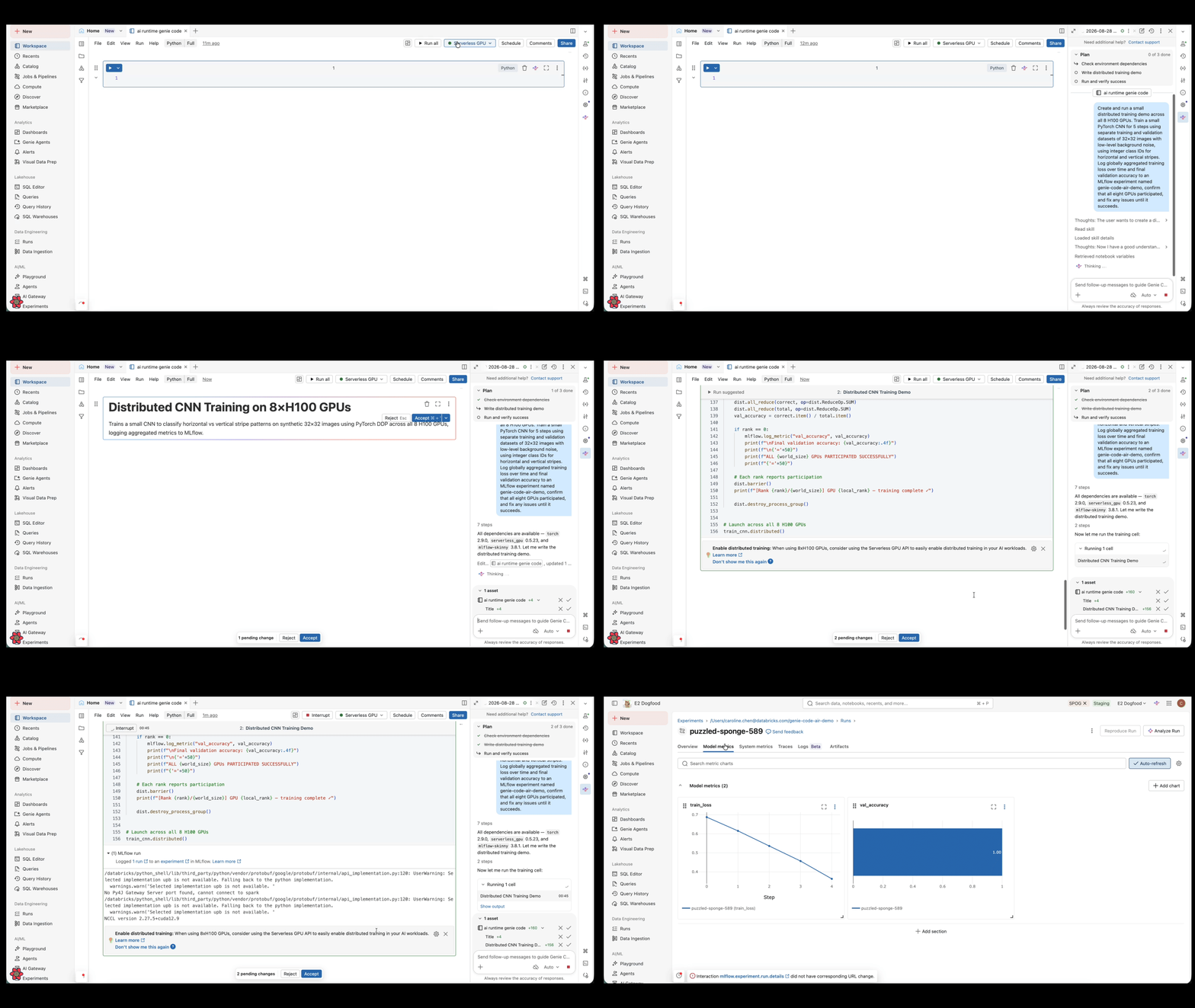
Genie Code helps you develop and troubleshoot deep learning workloads in notebooks connected to AI Runtime. It can generate distributed training code, resolve environment and dependency issues, and investigate GPU workload failures.
Requirements
To use Genie Code with AI Runtime:
- Meet the requirements for Genie Code agentic capabilities.
- Have access to AI Runtime in a region that supports both products. See AI Runtime requirements and Genie Code geo availability.
- Connect a notebook to AI Runtime using serverless GPU compute. See Connect to AI Runtime from a notebook.
Get started
-
Open a Databricks notebook.
-
Connect the notebook to AI Runtime. See Connect to AI Runtime from a notebook.
-
Open the Genie Code pane.
-
Describe the workload that you want to develop or the problem that you want to resolve.
-
Review the proposed plan, code changes, and actions before approving them.
importantGenie Code can make mistakes. Review generated code, environment changes, and other proposed actions before running them. Some diagnoses require additional logs or workload context.
What can Genie Code help with?
Develop distributed training workloads
Genie Code can generate or update training code for AI Runtime. It can help you select an appropriate PyTorch distributed strategy, use the @distributed API from the serverless_gpu package, and apply AI Runtime patterns for data loading, checkpointing, and MLflow tracking. For API details and examples, see Distributed training in notebooks.
Resolve environment and dependency issues
Genie Code can inspect the current environment, distinguish package compatibility failures from code or API changes, and recommend targeted fixes. It can also help you choose between the Databricks AI and Standard environments based on your workload's dependencies. For information about the available environments, see Set up your environment.
Debug GPU and distributed workloads
Genie Code can use notebook output and available logs to investigate distributed training failures, communication errors, training hangs, and GPU memory problems. It can help identify the original failure and distinguish it from downstream errors on other ranks. For information about viewing distributed training logs, see Experiment tracking and observability.
Example prompts
Develop distributed training workloads
- "Update this notebook to run distributed training on all eight H100 GPUs in AI Runtime."
- "Review this distributed training notebook and fix its use of
serverless_gpuand MLflow." - "Adapt this training workload for AI Runtime and explain the important changes."
Resolve environment and dependency issues
- "This notebook stopped working after I installed a new package. Inspect the environment and determine whether the problem is a dependency issue or a code API change."
- "Should this workload use the Databricks AI or Standard environment? Review its dependencies and recommend an environment before changing anything."
- "Diagnose this package compatibility error and recommend the smallest appropriate change."
Debug GPU and distributed workloads
- "Analyze this failed distributed training run using the available output from every rank and identify the root cause."
- "Why is this distributed workload hanging? Use the notebook output to recommend the next debugging step."
- "Investigate this GPU memory failure and recommend an evidence-based next step."