Query MLflow traces using MLflow Databricks SQL
Storing MLflow Traces in Unity Catalog is in Beta.
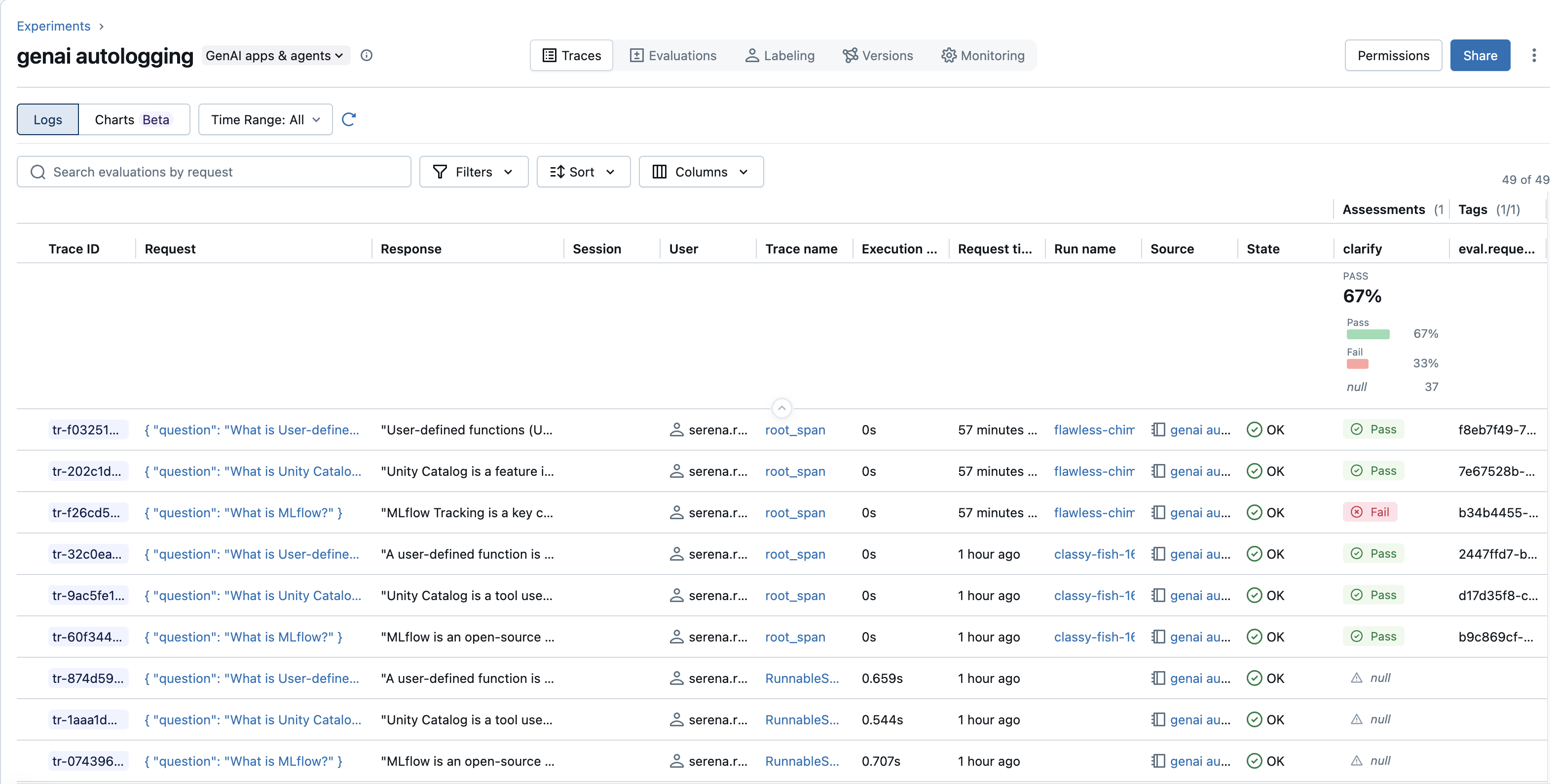
By storing trace data in OpenTelemetry format in Unity Catalog, you can query traces using the MLflow Python SDK, or through Databricks SQL using Unity Catalog tables and views.
Prerequisites
- Store traces to Unity Catalog tables and generate traces. See Store MLflow traces in Unity Catalog.
Query traces using the MLflow Python SDK
Use the MLflow Python SDK to search and load trace objects.
- Use the
MLFLOW_TRACING_SQL_WAREHOUSE_IDenvironment variable to specify a Databricks SQL warehouse to execute search queries. - Use the
locationsargument ofmlflow.search_tracesto specify one or more MLflow experiments or Unity Catalog schemas containing traces. - You can specify either the name of a Unity Catalog schema, or the ID of an MLflow experiment linked to Unity Catalog schema. See Setup: Create UC tables and link an experiment.
import os
import mlflow
mlflow.set_tracking_uri("databricks")
# Specify the name of a catalog and schema containing traces
catalog_name = "<UC_CATALOG>"
schema_name = "<UC_SCHEMA>"
# Specify the ID of a Databricks SQL warehouse for executing search queries
os.environ["MLFLOW_TRACING_SQL_WAREHOUSE_ID"] = "<SQL_WAREHOUSE_ID>"
traces = mlflow.search_traces(
locations=[f"{catalog_name}.{schema_name}"],
filter_string="trace.status = 'OK'",
order_by=["timestamp_ms DESC"],
include_spans=False,
)
print(traces)
To load the found trace:
import os
import mlflow
mlflow.set_tracking_uri("databricks")
# Specify the name of a catalog and schema containing traces
catalog_name = "<UC_CATALOG>"
schema_name = "<UC_SCHEMA>"
# Specify the trace UUID (example: "13ffa97d571048d69d21da12240d5863")
trace_uuid = "<TRACE_UUID>"
# Specify the ID of a Databricks SQL warehouse for executing search queries
os.environ["MLFLOW_TRACING_SQL_WAREHOUSE_ID"] = "<SQL_WAREHOUSE_ID>"
trace = mlflow.get_trace(
trace_id=f"trace:/{catalog_name}.{schema_name}/{trace_uuid}"
)
print(trace)
Query traces using Databricks SQL
While the underlying data is stored in OpenTelemetry-compliant table formats, the MLflow service automatically creates Databricks SQL views alongside them. These views transform the OpenTelemetry data into the MLflow format. Across large quantities of data, queries on these views will not remain performant and should be incrementally materialized.
For best performance on recent data, use the API for querying traces and see Performance considerations for guidance.
mlflow_experiment_trace_unified
This view provides a unified view across all trace data grouped by each trace ID. Each row contains the raw span data and the trace info metadata. The metadata includes MLflow tags, metadata, and assessments.
Schema
trace_id: STRING
client_request_id: STRING
request_time: TIMESTAMP
state: STRING
execution_duration_ms: DECIMAL(30,9)
request: STRING
response: STRING
trace_metadata: MAP<STRING, STRING>
tags: MAP<STRING, STRING>
spans: LIST<STRUCT>
trace_id: STRING
span_id: STRING
trace_state: STRING
parent_span_id: STRING
flags: INT
name: STRING
kind: STRING
start_time_unix_nano: BIGINT
end_time_unix_nano: BIGINT
attributes: MAP<STRING, STRING>
dropped_attributes_count: INT
events: LIST<STRUCT>
time_unix_nano: BIGINT
name: STRING
attributes: MAP<STRING, STRING>
dropped_attributes_count: INT
dropped_events_count: INT
links: LIST<STRUCT>
trace_id: STRING
span_id: STRING
trace_state: STRING
attributes: MAP<STRING, STRING>
dropped_attributes_count: INT
flags: INT
dropped_links_count: INT
status: STRUCT
message: STRING
code: STRING
resource: STRUCT
attributes: MAP<STRING, STRING>
dropped_attributes_count: INT
resource_schema_url: STRING
instrumentation_scope: STRUCT
name: STRING
version: STRING
attributes: MAP<STRING, STRING>
dropped_attributes_count: INT
span_schema_url: STRING
assessments: LIST<STRUCT>
assessment_id: STRING
trace_id: STRING
assessment_name: STRING
source: STRUCT
source_id: STRING
source_type: STRING
create_time: TIMESTAMP
last_update_time: TIMESTAMP
expectation: STRUCT
value: STRING
serialized_value: STRUCT
serialization_format: STRING
value: STRING
stack_trace: STRING
feedback: STRUCT
value: STRING
error: STRUCT
error_code: STRING
error_message: STRING
stack_trace: STRING
rationale: STRING
metadata: MAP<STRING, STRING>
span_id: STRING
overrides: STRING
valid: STRING
mlflow_experiment_trace_metadata
This view contains just the MLflow tags, metadata, and assessments grouped by trace ID and is more performant than the unified view for retrieving MLflow data.
Schema
trace_id: STRING
client_request_id: STRING
tags: MAP<STRING, STRING>
trace_metadata: MAP<STRING, STRING>
assessments: LIST<STRUCT>
assessment_id: STRING
trace_id: STRING
assessment_name: STRING
source: STRUCT
source_id: STRING
source_type: STRING
create_time: TIMESTAMP
last_update_time: TIMESTAMP
expectation: STRUCT
value: STRING
serialized_value: STRUCT
serialization_format: STRING
value: STRING
stack_trace: STRING
feedback: STRUCT
value: STRING
error: STRUCT
error_code: STRING
error_message: STRING
stack_trace: STRING
rationale: STRING
metadata: MAP<STRING, STRING>
span_id: STRING
overrides: STRING
valid: STRING
MLflow log record data formats
The data for MLflow tracing entities like metadata, tags, assessments, and links to runs are stored in the OpenTelemetry Logs table. These are stored as log records with a corresponding event_name, and their fields are stored in the attributes column. The logs table is append-only, so you must de-duplicate each of these events on retrieval with the latest version being up-to-date. All attributes are serialized as string values from their original type.
MLflow metadata
Only one of these events exists per trace.
event_name: "genai.trace.metadata"
trace_id: STRING
time_unix_nano: BIGINT
attributes: STRUCT
client_request_id: STRING
trace_metadata: STRING (JSON-serialized metadata map)
MLflow tags
Each tag update is serialized as a separate Log record. You can de-duplicate them within each trace using the key attribute.
event_name: "genai.trace.tag"
trace_id: STRING
time_unix_nano: BIGINT
attributes: STRUCT
key: STRING
value: STRING
deleted: STRING (boolean "true"/"false")
MLflow assessments
MLflow serializes each assessment update as a separate Log record. You can de-duplicate them within each trace using the assessment_id attribute.
event_name: "genai.assessments.snapshot"
trace_id: STRING
span_id: STRING
time_unix_nano: BIGINT
attributes: STRUCT
assessment_id: STRING
assessment_name: STRING
source.source_id: STRING
source.source_type: STRING
create_time: STRING (serialized decimal number)
last_update_time: STRING (serialized decimal number)
expectation.value: STRING
expectation.serialized_value.serialization_format: STRING
expectation.serialized_value.value: STRING
feedback.value: STRING
feedback.error.error_code: STRING
feedback.error.error_message: STRING
feedback.error.stack_trace: STRING
rationale: STRING
metadata.<key>: STRING (one attribute per metadata key)
overrides: STRING
valid: STRING (boolean "true"/"false")
MLflow run links
Represents a link between a trace and an MLflow run. Can be deduplicated per trace_id using the run_id attribute.
event_name: "genai.run.link"
trace_id: STRING
time_unix_nano: BIGINT
attributes: STRUCT
run_id: STRING
deleted: STRING (boolean "true"/"false", true if the run link was removed)
Performance considerations
-
As trace data size increases beyond 2TB, queries on the MLflow-specific Databricks SQL views may not remain performant and should be incrementally materialized.
-
If search queries are slow or timing out, consider optimizing the underlying OpenTelemetry tables using Z-Ordering.
To enable Z-Ordering, schedule a job to run the following query on your tables. The job should run at least every hour. For large tables that require real-time access, consider running it continuously. Because Z-Ordering is incremental, the first run can take longer than subsequent runs.
SQLOPTIMIZE catalog.schema.mlflow_experiment_trace_otel_logs ZORDER BY (time_unix_nano, trace_id);
OPTIMIZE catalog.schema.mlflow_experiment_trace_otel_spans ZORDER BY (start_time_unix_nano, trace_id);
Analyze query performance
To diagnose slow queries, you can inspect query profiles in the SQL warehouse query history:
- Go to the SQL warehouses page in your Databricks workspace.
- Select your SQL warehouse and click the Query history tab.
- Look for queries with MLflow specified as the source.
- Click on a query to view its query profile.
In the query profile, inspect the following:
- Long scheduling time: If the scheduling time is high, your queries are waiting due to heavy use on your warehouse. Consider switching to a different SQL warehouse using the drop-down menu in the MLflow UI or configuring a different warehouse in your client.
- Overall query performance: For consistently slow queries, consider using a larger SQL warehouse with more compute resources, including tighter upper and lower bounds on
trace.timestamp_msin your query, and removing other filter predicates.