Customer-managed keys for Lakebase
Customer-managed keys (CMK) let you encrypt Lakebase project data at rest (stored data) using a key that your organization owns and manages in your cloud key management service (KMS). This gives your organization full sovereignty over its encryption and helps meet regulatory and compliance requirements: revoking the key revokes all access to data.
Requirements
This section applies to workspace admins who want to enable CMK for Lakebase.
- The workspace must be on the Enterprise tier.
- CMK applies only to new Lakebase projects created after Lakebase CMK support became available in your region. Projects created before that do not support CMK. Check Customer-managed keys in your project settings to see the status for any project.
Enable CMK for Lakebase
Workspace admins enable CMK for Lakebase at the workspace level, not per project. Once enabled, every new Lakebase project on that workspace is automatically encrypted with your key. Existing projects may or may not become managed by the CMK, depending on when they were created. See Check encryption status to see the status for any project.
Lakebase uses the Managed services use case. Select this when creating your encryption key configuration in the Account Console.
Resource | Description |
|---|---|
Full setup walkthrough: AWS KMS key creation, key policy, cross-account IAM role permissions, and workspace attachment. |
Check encryption status
As a Lakebase user, you don't configure CMK directly. To check if your project is currently encrypted by a CMK:
- Click the
 app switcher in the top right corner of your workspace to open the Lakebase App.
 - Select your project.
- Click Settings in the left sidebar.
- Under Customer-managed keys, check the status card.
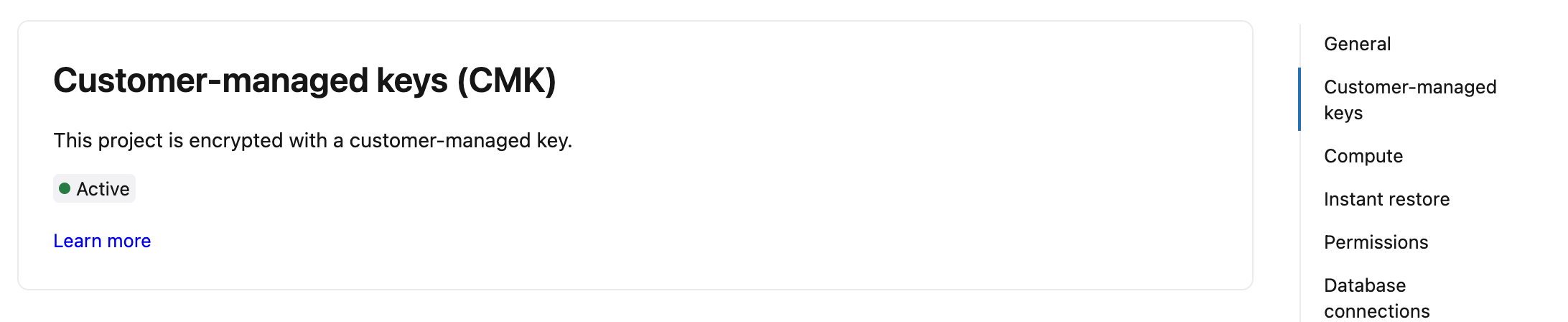
The status card shows one of the following:
Status | What it means |
|---|---|
Active | Your project is encrypted with a customer-managed key. No action needed. |
Not configured | No customer-managed key is configured on this workspace. If your organization requires CMK, contact your workspace admin. |
Not supported | This project was created before customer-managed keys were available in this region and is not encrypted with a CMK. |
Key unreachable | The customer-managed workspace encryption key is no longer accessible. Your project is unavailable. Contact your workspace admin to restore KMS access. See Key revocation. |
You can't convert a project with a Not supported status to use a customer-managed key in place. If you need CMK for that data, create a new Lakebase project (which is CMK-managed when a key is configured on the workspace) and migrate your data into it.
Key rotation
When your workspace admin rotates the key in your cloud KMS, Lakebase projects are not affected. Projects remain accessible with no downtime or action required.
Key revocation
If the customer-managed key is revoked, deleted, or its permissions are changed so that Databricks can no longer access it:
- All CMK-managed Lakebase projects on the workspace become unavailable. Projects with a Not supported status are not managed by the key and remain available. See Check encryption status to confirm whether a project is managed by the CMK.
- Running compute instances for CMK-supported projects are stopped.
- New projects cannot be created.
- A banner appears in the Lakebase console: Database projects unavailable due to key access issue.
To restore access, a workspace admin must re-enable the key or restore its permissions in your cloud KMS. After the key is accessible again, allow some time for the change to propagate before restarting your compute instances and accessing your projects.
Key revocation affects all Databricks resources on the workspace that use the managed services key, not just Lakebase projects. For more information about customer-managed keys, see Customer-managed keys for encryption.