Connect to Looker Studio
This page describes how to use Looker Studio with a Databricks SQL warehouse.
Requirements
Before you connect to Looker Studio manually, you need the following:
- A SQL warehouse in your Databricks workspace. See Create a SQL warehouse.
- The Server Hostname for your SQL warehouse. See Get connection details for a Databricks compute resource.
- A Databricks personal access token that belongs to a service principal. The Looker Studio connector supports only personal access token authentication. As a security best practice, Databricks recommends using a service principal's token instead of a workspace user's token. To create one, see Create personal access tokens for service principals. If you can't use a service principal, create a token for your workspace user instead. See Create personal access tokens for workspace users.
Connect to Looker Studio manually
To connect to Looker Studio manually, do the following:
-
Go to https://lookerstudio.google.com/data and search for the Databricks connector.
-
Click Authorize, and sign in to your Google account.
noteDatabricks Connector for Data Studio use and transfer to any other app of information received from Google APIs will adhere to Google API Services User Data Policy, including the Limited Use requirements.
-
Enter your Databricks credentials. Enter
tokenin the username field, and enter the personal access token in the password field.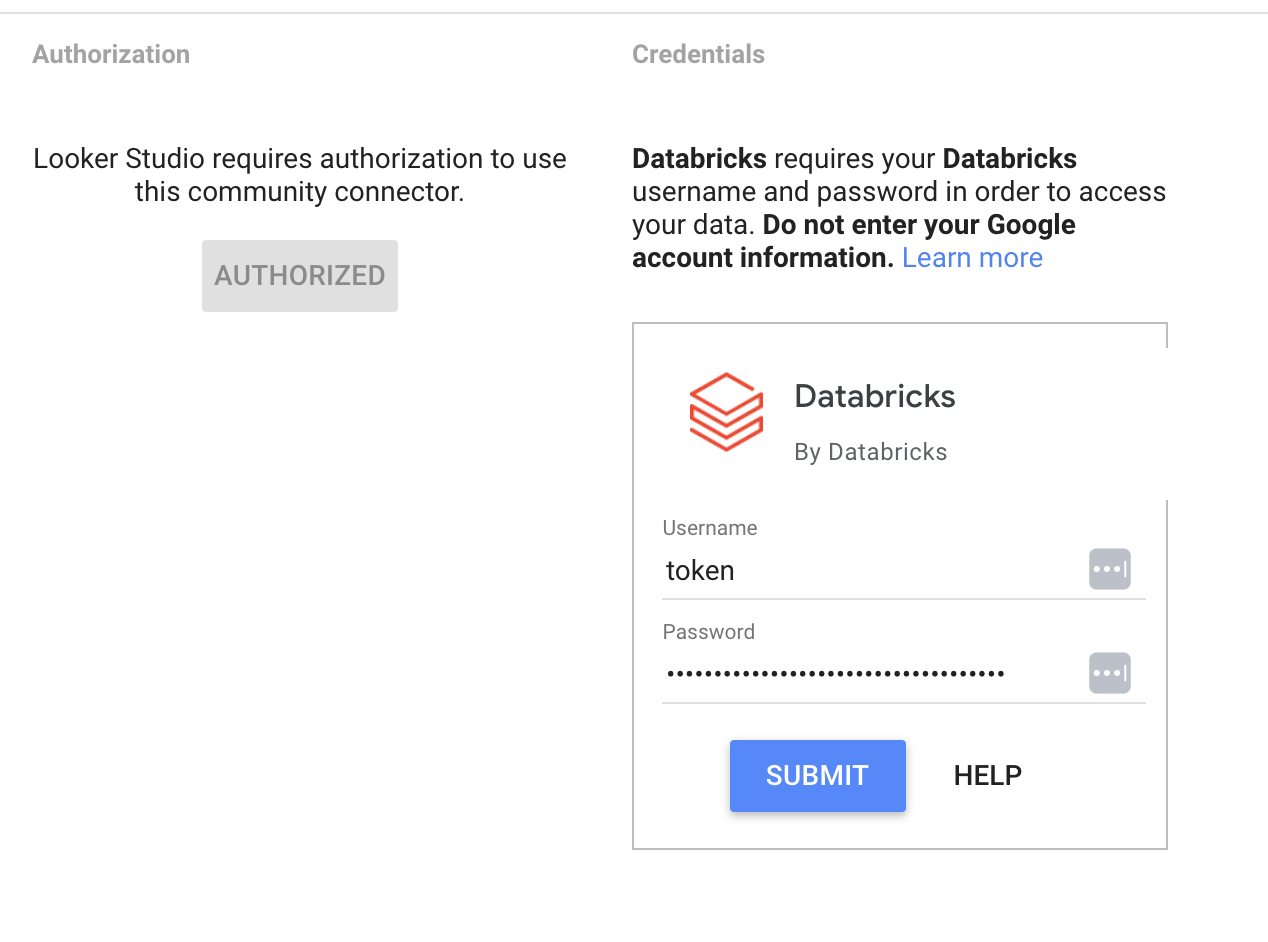
-
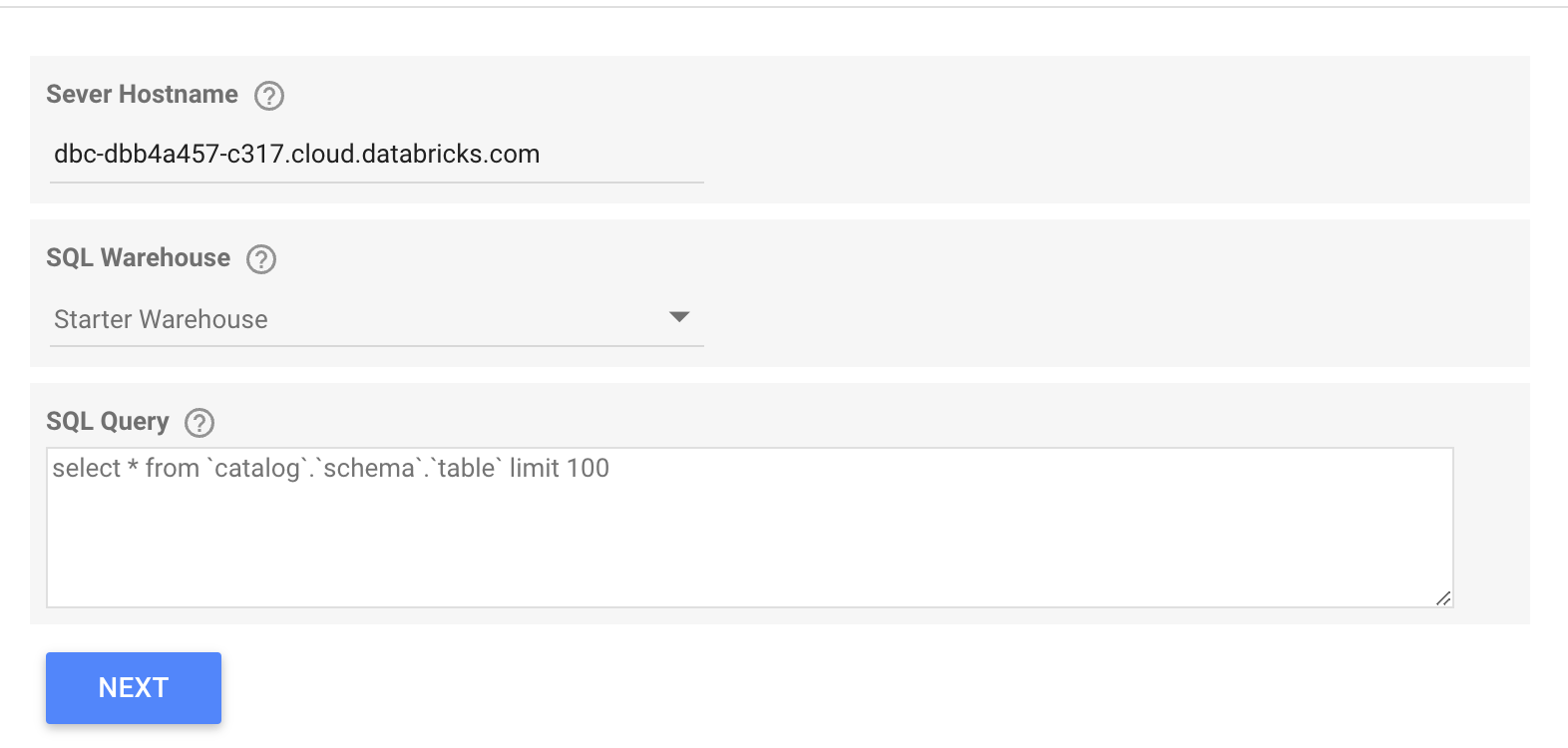
For Server Hostname, enter the Databricks server hostname.
-
For SQL Warehouse, select a SQL warehouse from the drop-down list. You can filter by keyword to search.
-
For SQL Query, write your SQL query. Your query must include the complete path with the catalog, the schema, and the table specified and enclosed in backticks.
For example:
select * from `catalog`.`schema`.`table` limit 100noteThe maximum result size you can retrieve is 16MB.
Reset your access
To revoke your authorization from a connector:
-
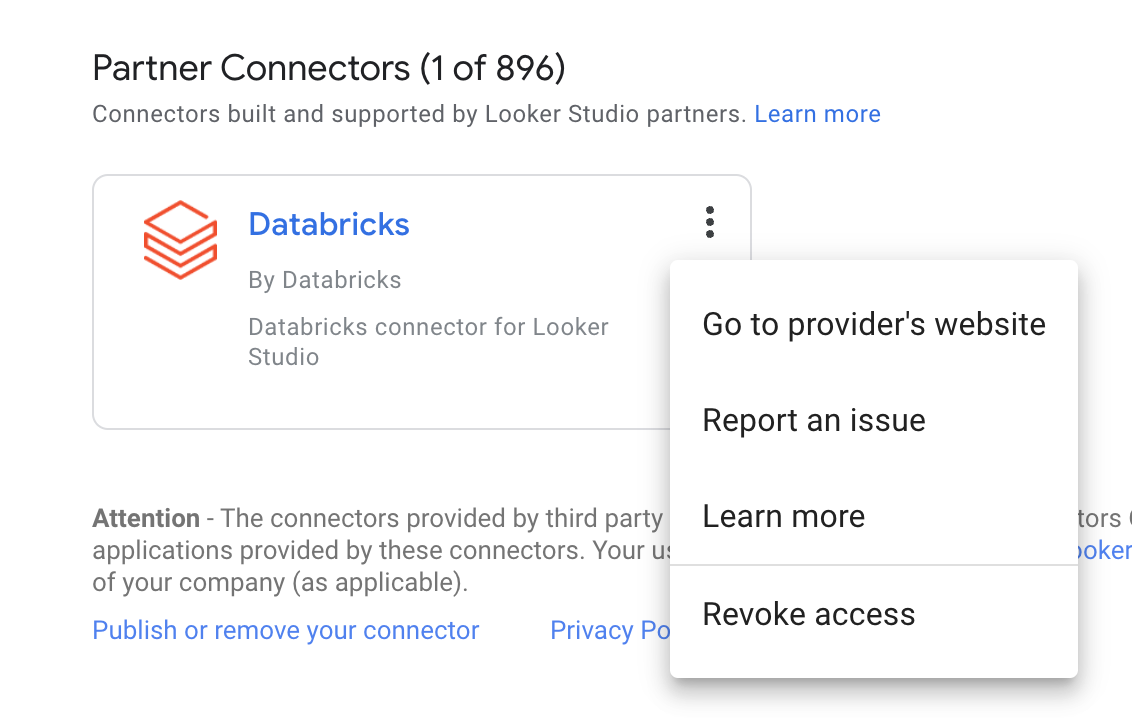
Find the Databricks data source card on the Looker Studio home page.
-
Click the kebab menu in the top right, and then click Revoke Access.
Allowlist Connector IP address
The Looker Studio Connector use UrlFetchApp class by Google App Scripts to make API calls. UrlFetchApp use ip address from IP ranges that Google makes available to users on the internet, which is listed here.