Smart Routing for coding agents
Smart Routing is in Beta and is enabled per account. An account admin must turn on the Smart Routing preview before your users can use it. Availability, supported models, and the API are subject to change during the Beta.
Use the Unity Gateway CLI (ug) to enable Smart Routing for Codex or Claude Code. Smart Routing automatically selects the lowest-cost model capable of handling each task, so developers do not need to choose a model for every request.
Requirements
- Smart Routing account-level preview enabled for your account. Reach out to your account admin to enable and allow 1-2 minutes after enablement for it to propagate to your workspace.
- Access to the candidate models that Smart Routing can select. Smart Routing chooses only among
system.ai-prefixed model services.
- A Databricks workspace in an Unity Gateway supported region.
Set up Smart Routing using the Unity Gateway CLI
The Unity Gateway CLI runs coding agents against Unity Gateway. If you run Codex or Claude Code through the Unity Gateway CLI, enable Smart Routing per agent:
ug codex --enable-smart-routing
ug claude --enable-smart-routing
The setting persists per agent, so later ug codex or ug claude sessions keep Smart Routing on. To turn it off:
ug codex --disable-smart-routing
ug claude --disable-smart-routing
After Smart Routing is enabled, pass your prompt on the command line to route it. Smart Routing does not apply to an interactive root session, so you must supply the prompt with --:
ug claude -- "<prompt>"
ug codex -- "<prompt>"
Smart Routing selects the model for that prompt, and any subagents the task spawns are routed the same way. Routing across harnesses is available only in Omnigent.
Set up Smart Routing using Omnigent
To route across coding harnesses, use Omnigent version v0.8.0 or later. Omnigent can choose both the model and the coding harness for each task. The choice applies to the main agent and to every subagent a session launches.
To set up Omnigent:
-
Configure Claude Code and Codex to use your Databricks workspace for inference:
Bashomni setup -
Connect your computer to the Omnigent server:
Bashomni host --server <workspace-url>Replace
<workspace-url>with your Databricks workspace URL.
Then turn on Smart Routing from the UI or the CLI.
From the UI
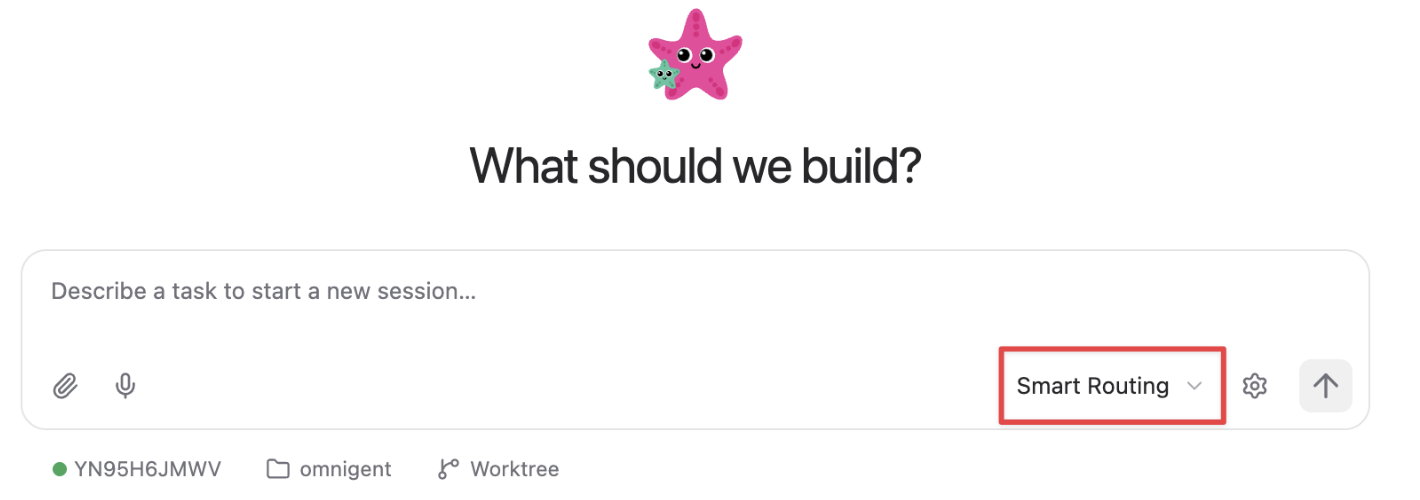
Select Smart Routing as the harness so Omnigent chooses both your model and harness:
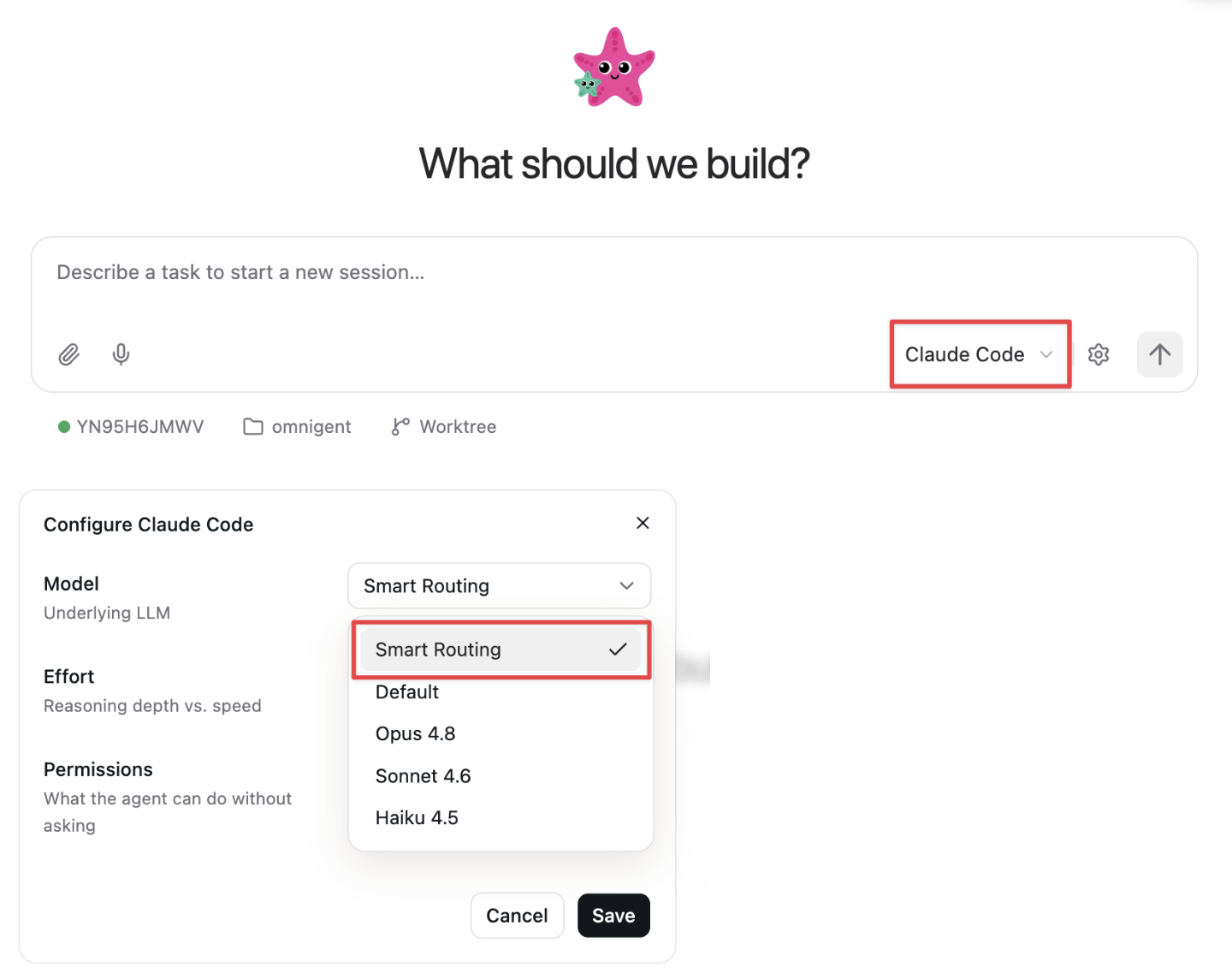
Or, after choosing Claude Code or Codex, click the gear icon and select Smart Routing for your model:
From the CLI
Pass --smart-routing to the harness:
omni claude --smart-routing --server <workspace-url>
omni codex --smart-routing --server <workspace-url>
Replace <workspace-url> with your Databricks workspace URL.
Limitations
- Smart Routing is in Beta and enabled per account.
- Smart Routing selects only among
system.ai-prefixed model services. Custom model services are not currently supported. - The user needs access to every candidate model the router can select, or Smart Routing fails. For example, if the router can route to
gpt-5.5,claude-opus-4-8, andglm-5.2, the user needsEXECUTEon thesystem.ai.gpt-5-5,system.ai.claude-opus-4-8, andsystem.ai.glm-5-2model services. If the user lacks access to any candidate, the request returns an error naming the model services they need. - The Unity Gateway CLI routes among models within a harness. Routing across harnesses requires Omnigent v0.8.0 or later.
- Native Claude Code and Codex sessions that do not use the Unity Gateway CLI do not support Smart Routing through Unity Gateway.