View the Entity Relationship Diagram
The Entity Relationship Diagram (ERD) in Catalog Explorer shows the primary key and foreign key relationships between tables in a graph, providing a clear representation of how data entities connect. You can access the ERD from Catalog Explorer when viewing any table that contains a foreign key constraint.
For more information about primary key and foreign key constraints, see Constraints on Databricks. To explore how tables connect based on query data flow rather than declared constraints, use the interactive lineage graph in Catalog Explorer instead. See View lineage in Catalog Explorer.
To access the ERD, do the following:
-
Click
 Catalog in the sidebar.
 -
Select a schema.
-
Select a table with foreign keys defined.
 and
and  icons appear next to columns that are designated as primary keys or foreign keys.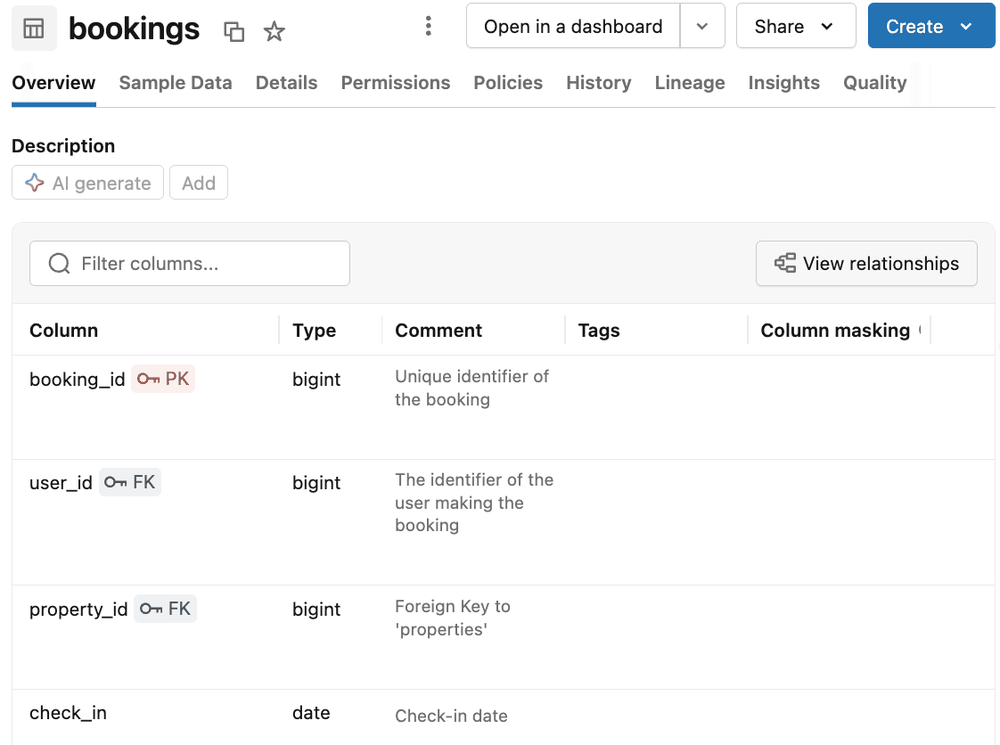
-
Click View relationships
 above the table in the Description section of the Overview tab to open the ERD.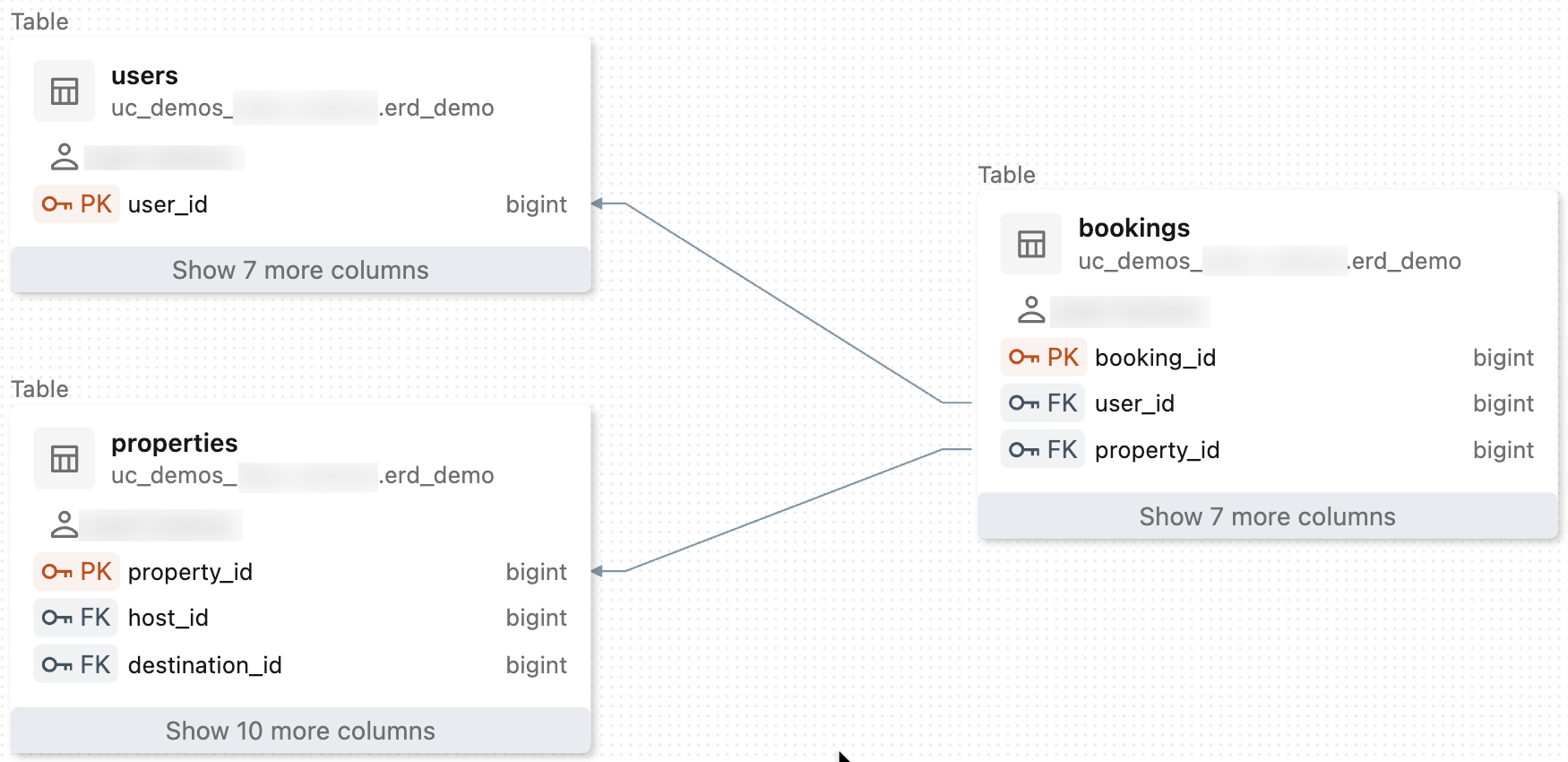
The example diagram is generated from the Wanderbricks dataset, a simulated travel booking platform with users, hosts, properties, bookings, payments, reviews, and related tables. To explore the dataset, see Wanderbricks dataset.