Feed (::::feed)
The feed directive creates RSS feed entries for release notes and other content. It renders formatted Markdown for the webpage while also generating RSS feed items.
When to use
Use ::::feed for release notes and other dated, syndicated entries that should appear in the RSS feed (feed.xml) as well as on the page. See the Release note page type, which is built primarily from feed entries.
Technical details
::::feed

::feed-title[Title]{level=3}

::feed-date[YYYY-MM-DD]{renderdate=false}

::feed-category[category1, category2]

:::feed-description

Description content with markdown support.

:::

::feed-enclosure[/relative/path/to/enclosure/image.png]

::::
Components:
- Feed container (
::::feed) — the main container directive. - Feed title (
::feed-title[Title]) — the title of the feed item (supports Markdown). Attributelevelsets the heading level (1–6, defaults to 3). - Feed date (
::feed-date[Date]) — the publication date inYYYY-MM-DDformat (for example,2024-01-15). Attributerenderdate(true/false, defaults totrue) controls whether the date is displayed on the webpage. - Feed description (
:::feed-description) — the main Markdown content of the feed item, including text, links, and images. - Feed category (
::feed-category[Categories]) — a comma-separated list of categories (for example,feature-store, aws). The category set appears only infeed.xml, not on the rendered page. - Feed enclosure (
::feed-enclosure[/path/to/image]) — the enclosure image for the feed item. If not set, defaults to the Databricks logo.
Available categories:
- Product
- aibi
- Assistant
- Audit logs
- Auto Loader
- Bundles
- Compliance
- Compute
- dashboards
- Data Connectivity
- Data Governance
- Data Warehousing
- Databricks Apps
- dbsql
- Delta Lake
- OpenSharing
- Drivers
- Generative AI
- genie
- Git Folders
- Ingestion
- Jobs
- Lakebase
- Lakeflow Connect
- Lakehouse Federation
- Marketplace
- Model Serving
- Networking
- Notebooks
- Partner Connect
- Pipelines
- Regions
- Security
- Serverless
- SQL
- Unity Catalog
Rules
- The title, date, and description are required; category and enclosure are optional.
- The date must be in
YYYY-MM-DDformat. - When the feed directive is nested inside a cloud directive, the cloud directive must use more colons than the feed directive.
- Categories must come from the available list above.
Style
- Write feed descriptions to stand alone in a feed reader, where the reader has no surrounding page context.
Template
::::feed

::feed-title[Title]{level=3}

::feed-date[YYYY-MM-DD]

::feed-category[category1, category2]

:::feed-description

Description content.

:::

::::
Examples
Feed item with categories
Example:
<!--- Feed Item with Categories -->

::::feed

::feed-title[Example feed with categories]

::feed-date[2024-01-15]

::feed-category[mlflow, machine-learning, aws]

:::feed-description

This is a example release note feed with multiple categories.

Categories:

- MLFlow
- machine-learning
- AWS

:::

::::
Output (the category set is not visible on the rendered page — it only appears in feed.xml):
Example feed with categories
Jan 15, 2024
This is a example release note feed with multiple categories.
Categories:
- MLFlow
- machine-learning
- AWS
Feed item with media enclosure
Example:
<!-- Feed Item with Media Enclosure -->
::::feed
::feed-title[Example feed with media enclosure]
::feed-date[2024-01-15]
:::feed-description
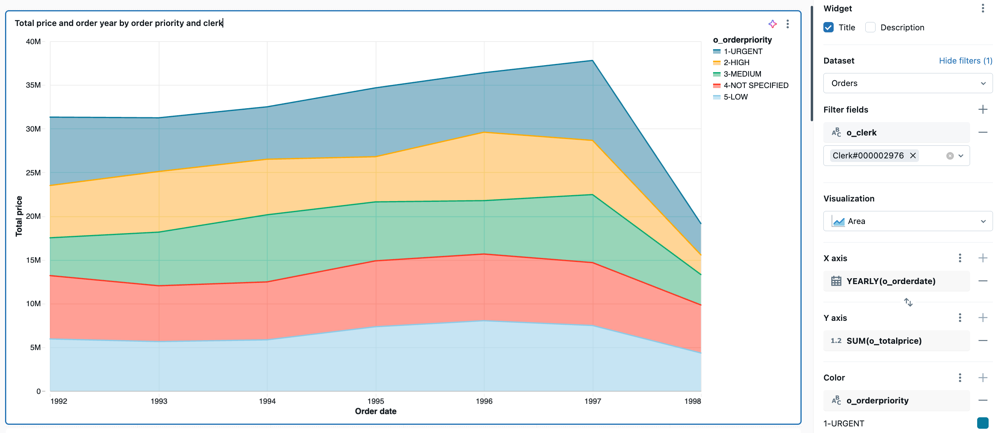
This is a example release note feed with image/enclosure included below.
:::
::feed-enclosure[/images/dashboards/area.png]
::::
The enclosure image shows up as the feed item cover in a feed reader app.
Feed item with hidden date and custom heading level
Example:
<!-- Feed Item with Hidden Date and customized heading level size -->

::::feed

::feed-title[Example feed with hidden date and customized heading level size]{level=4}

::feed-date[2024-01-15]{renderdate=false}

:::feed-description

This is an example release note feed with date hidden and customized heading level size

:::

::::
Feed item inside a cloud directive
Example:
<!-- Feed Item with enclosing cloud directive -->

:::::aws

::::feed

::feed-title[Example feed with surrounding cloud directive]

::feed-date[2024-01-15]

:::feed-description

This is an example release note feed with surrounding cloud directive

:::

::::

:::::
Because the feed directive is nested, the cloud directive uses more colons.
Used in
Content atoms appear in any page section. Feed entries are the core of the Release note page type.