Evaluate and improve
Using a coding agent? Paste this prompt:
Read the documentation at https://docs.databricks.com/aws/en/mlflow3/genai/eval-monitor and set up evaluation for my agent using scorers and an evaluation dataset.
Optionally, install mlflow/skills for a deeper integration with MLflow.
Evaluation measures whether your agent is actually good — is the response correct, grounded, safe, and complete? MLflow scores your traces with scorers: LLM judges and code-based checks that attach a quality assessment to each trace. Start by scoring a few traces from the UI, then move the same scorers into a repeatable mlflow.genai.evaluate() loop as your app matures.
Quick overview: score traces from the UI
Evaluate traces you already have, with no code:
-
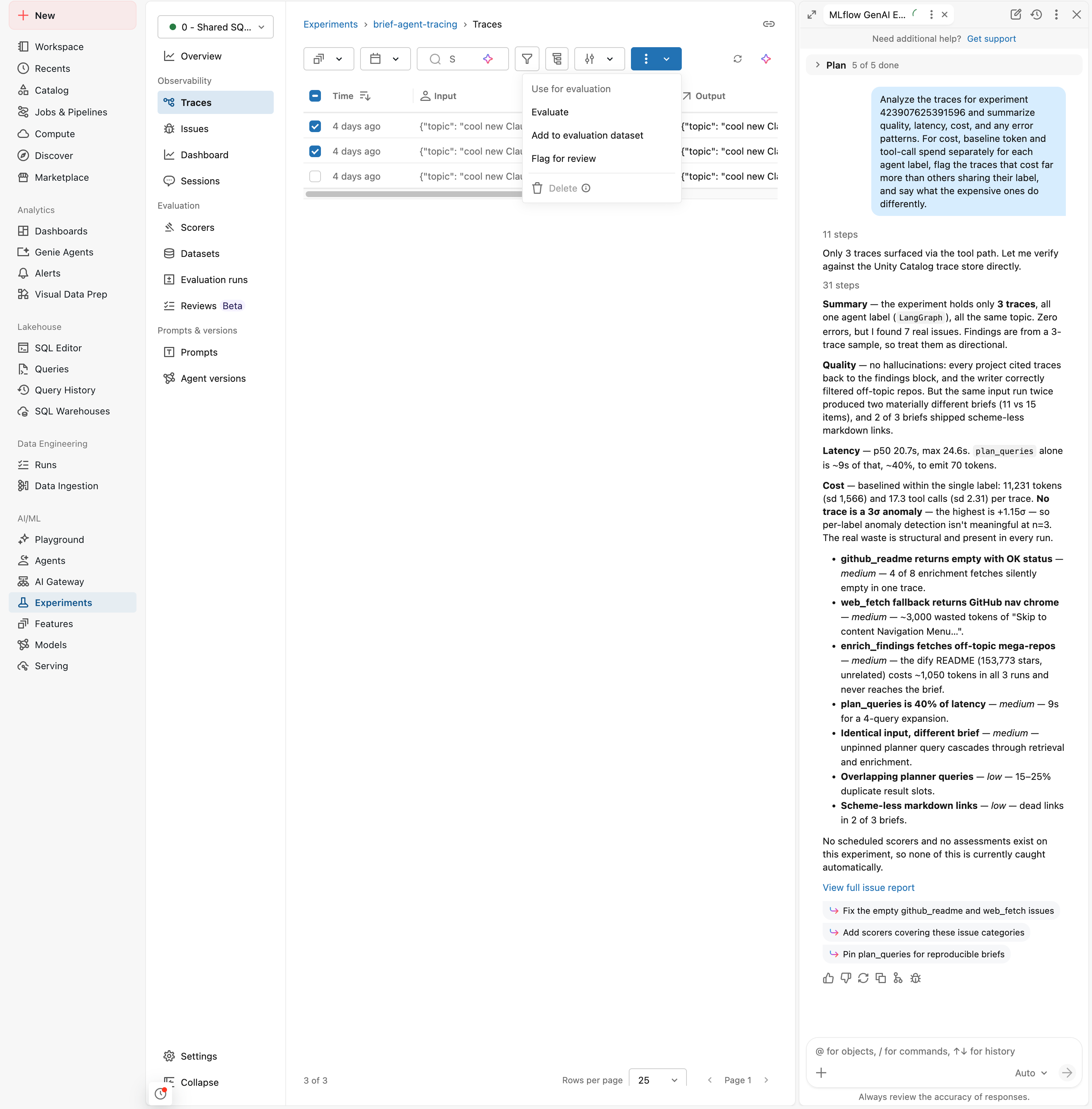
In the Traces tab, select a few traces using the row checkboxes.
-
Click Actions and choose Evaluate.
-
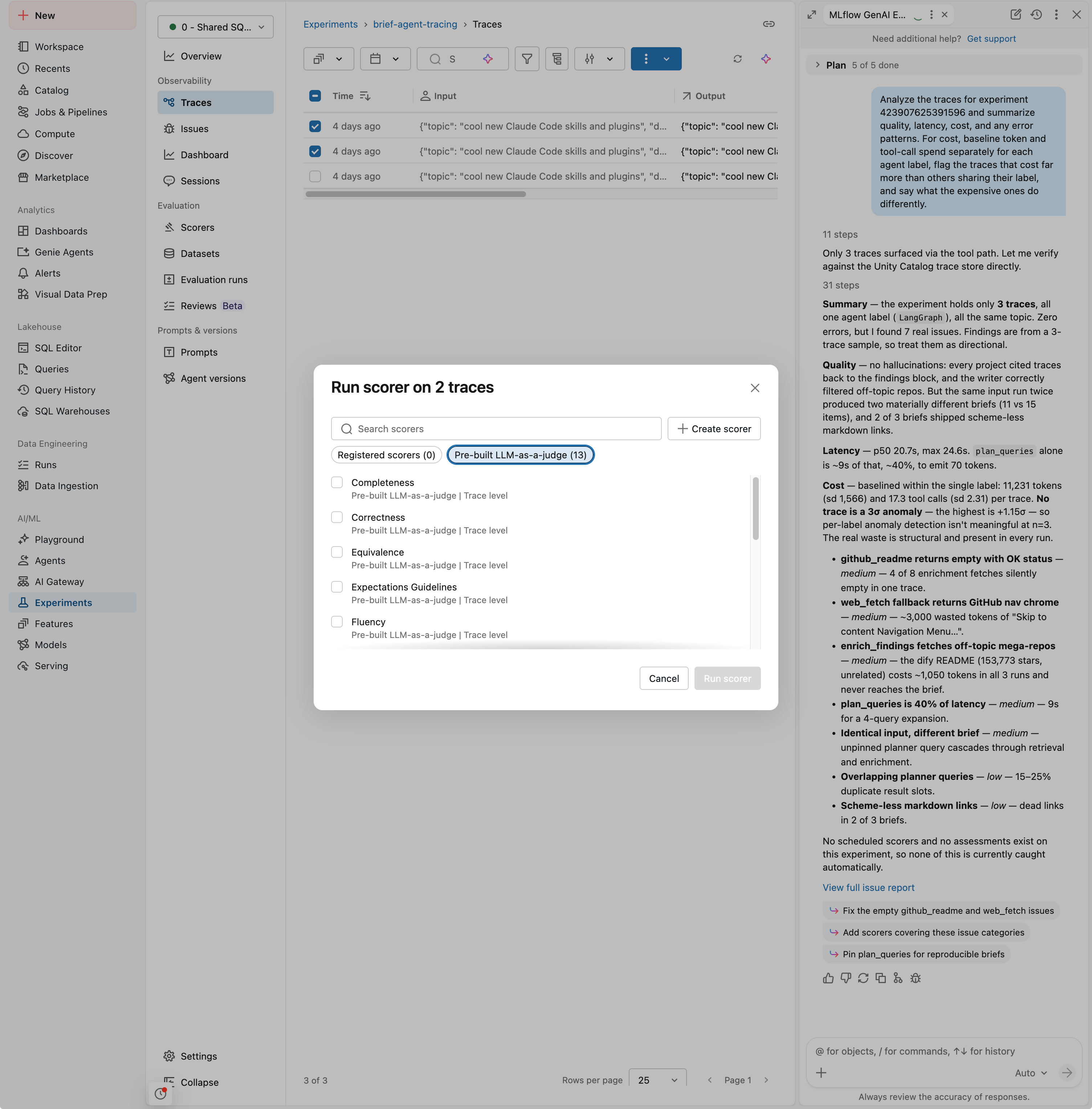
In the Run scorer dialog, pick one or more scorers: choose from the Pre-built LLM-as-a-judge scorers (such as Correctness, Completeness, and Fluency), reuse one of your Registered scorers, or click Create scorer.
-
Click Run scorer. MLflow runs the scorers on the selected traces, attaches each result to its trace as feedback, and records the run under the Evaluation runs tab.
This is the same scoring that powers programmatic evaluation — the judges you pick here are the built-in LLM judges, and the results are recorded as traces with scorer feedback in your experiment.
Next steps
- Tutorial: Evaluate and improve an agent — Run
mlflow.genai.evaluate()on an evaluation dataset to score a whole app version at once and compare versions. - Scorers and LLM judges — The built-in judges, what each measures, and when to use them.
- Set up production monitoring — Run these same scorers automatically on a sample of production traffic.