Collect feedback and build datasets
Using a coding agent? Paste this prompt:
Read the documentation at https://docs.databricks.com/aws/en/mlflow3/genai/human-feedback and set up human feedback collection and evaluation datasets for my agent.
Optionally, install mlflow/skills for a deeper integration with MLflow.
Human judgment — ratings, comments, and ground-truth expectations from developers, users, and domain experts — is what keeps evaluation aligned with what "good" actually means for your app. In MLflow you record that judgment directly on a trace, and a trace that carries a ground-truth expectation becomes a ready-made test case for automated evaluation.
Quick overview: turn a trace into a test case
- In the Traces tab, click a trace to open it.
- Click Assess, then Add expectation to record the correct answer (ground truth). The expectation is stored on the trace, alongside its inputs, outputs, and any other feedback.
- Click Add to dataset to add the trace — with its expectation — to an evaluation dataset.
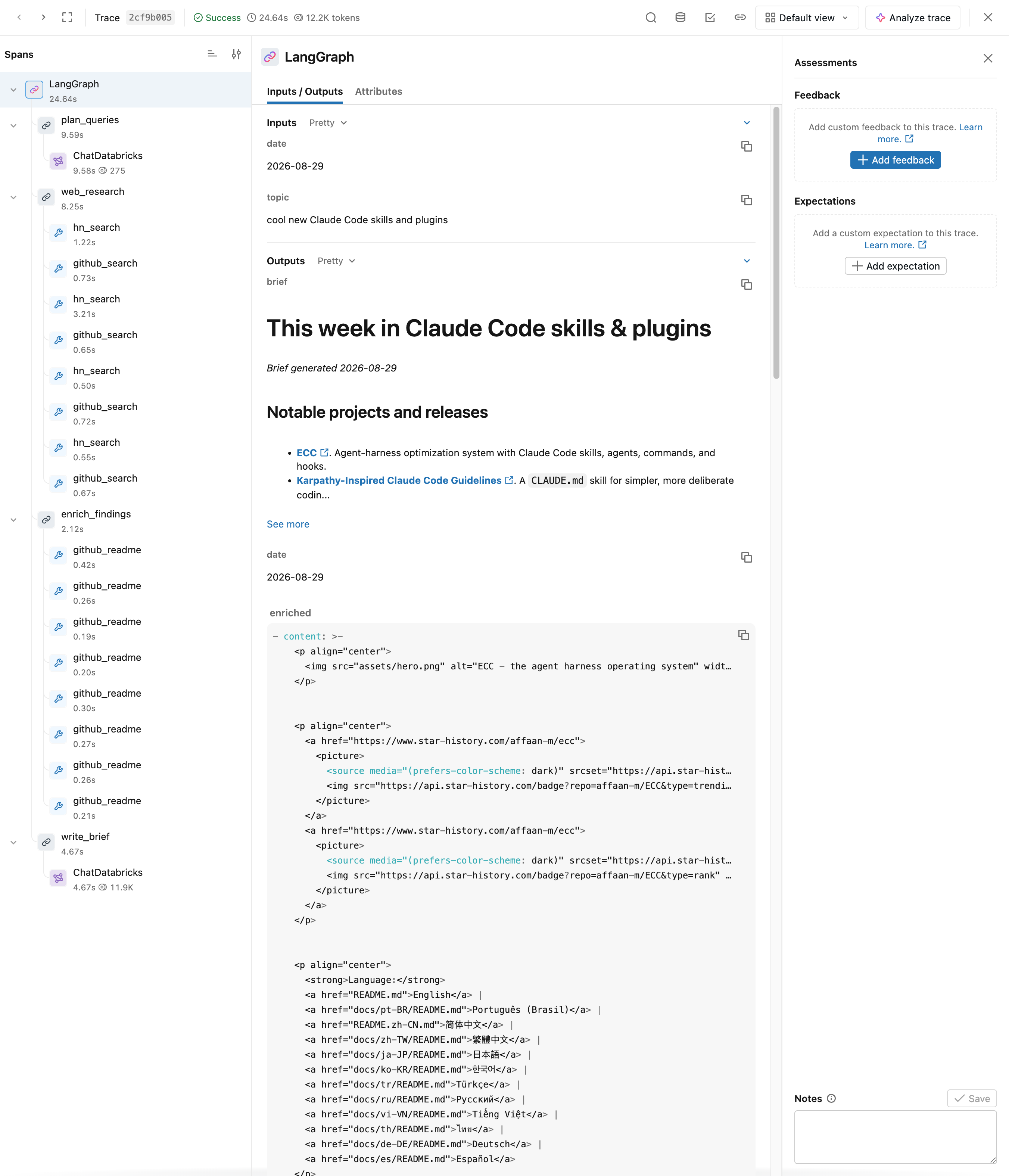
That trace is now a test case: you captured the expected answer on a real interaction and promoted it to a dataset you can evaluate future versions against. Because the feedback lives on the trace, anyone who reviews traces — not just the developer — can do this without leaving the trace UI.
Who leaves feedback
Feedback comes in two forms — feedback evaluates the app's actual output (was the response good?), and an expectation defines the correct, ground-truth output. Each source of judgment has its own mechanism.
Developers
Annotate traces as you build, to track quality notes and mark examples for regression testing. See Label traces as a developer.
Domain experts
Engage subject-matter experts through the Review App to define what a high-quality response looks like and to align LLM judges with your business requirements. There are two approaches: Test an agent with the Chat UI or Enable experts and collaborators to label traces.
For new human-review workflows, Databricks recommends review queues (Beta), which route traces and dataset records to reviewers one item at a time.
End users
Capture feedback from users of your deployed app to surface problematic queries and preserve successful interactions. See Enrich traces: tags, context, and feedback.
Next steps
- Enable experts and collaborators to label traces - Bring in domain experts and collaborators to label traces.
- Building MLflow evaluation datasets - Package labeled traces and expectations into a dataset.
- Evaluate and improve - Evaluate and improve your app against the datasets you build.